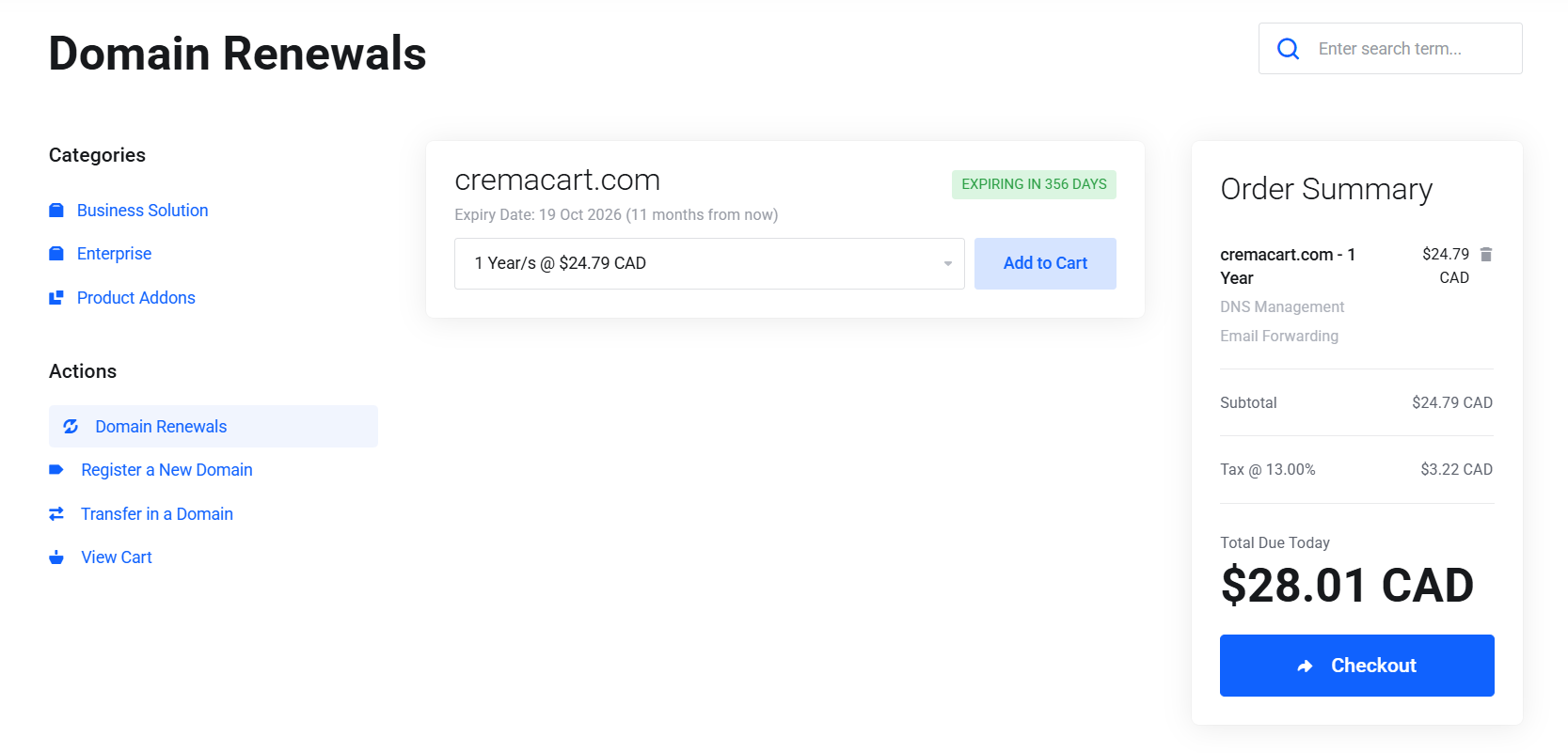
Our Domain Management Platform allows for you to seamlessly manage your domains and renew them one at a time or all at once.
In this brief tutorial, we'll show you how to renew domains.
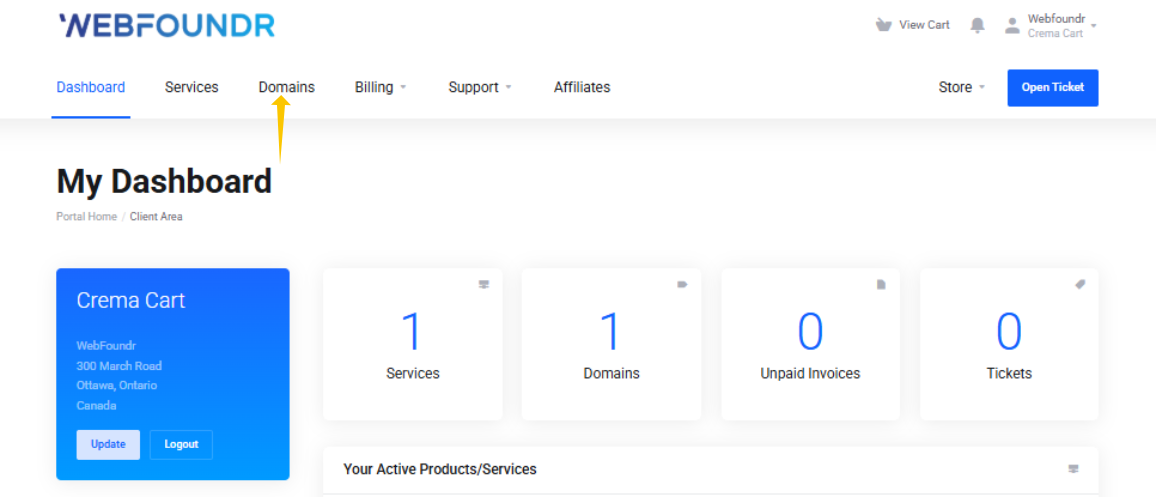
STEP 1: Login to the Webfoundr Dashboard!
STEP 2: On the top menu Click "Domains", then click on 'Renew'.
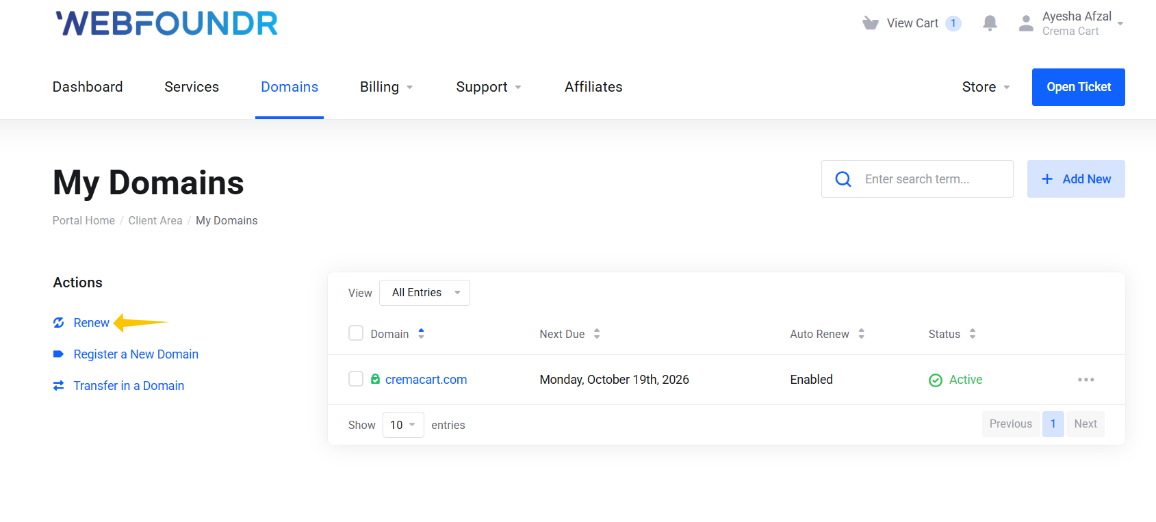
STEP 3: On the next page you will see a list of your domains. Just choose the renewal period you desire from the drop down and add to cart and check out!