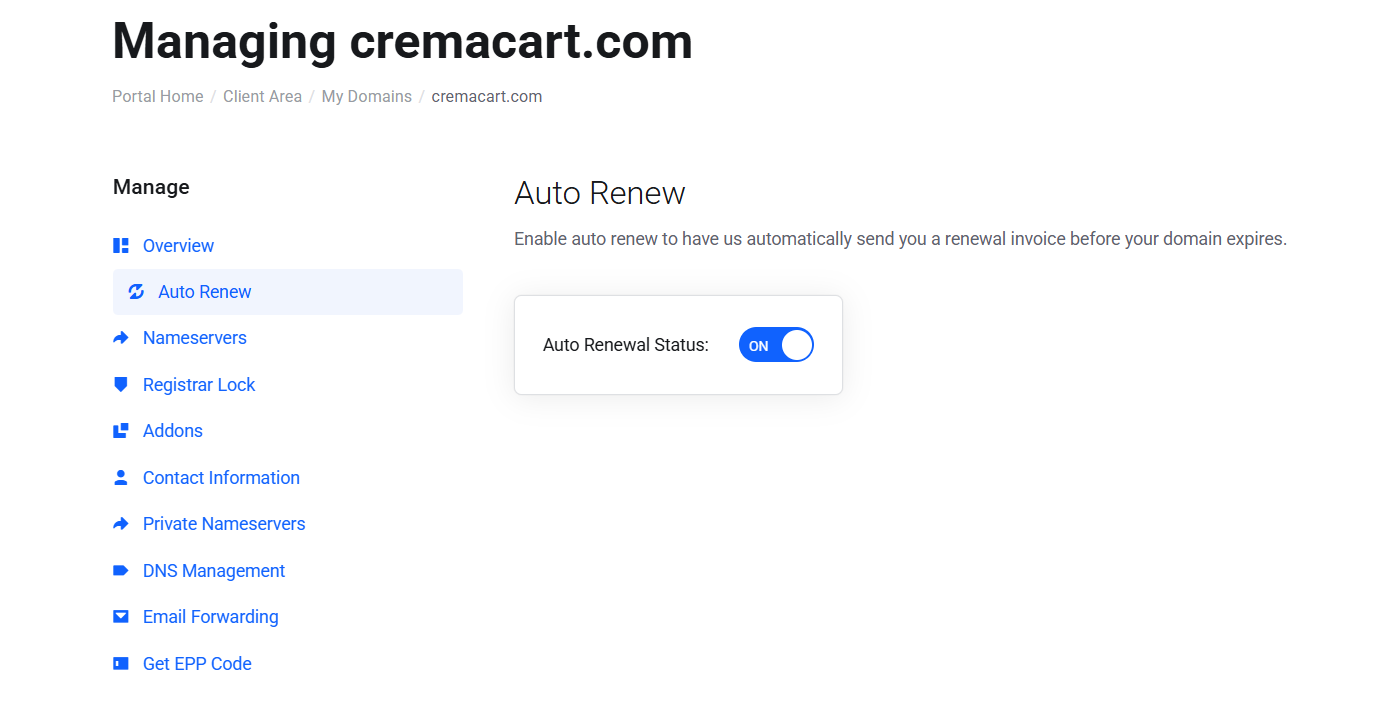
Setting your domain for automatic renewal assures that you remain in possession of it. If enabled, your domain will automatically renew upon it's expiration and an invoice will be generated for your account. This is highly recommended so that you do not lose your domain.
In this tutorial, we'll show you how to set your domain for auto renew.
STEP 1: Login to your Webfoundr Dashboard!
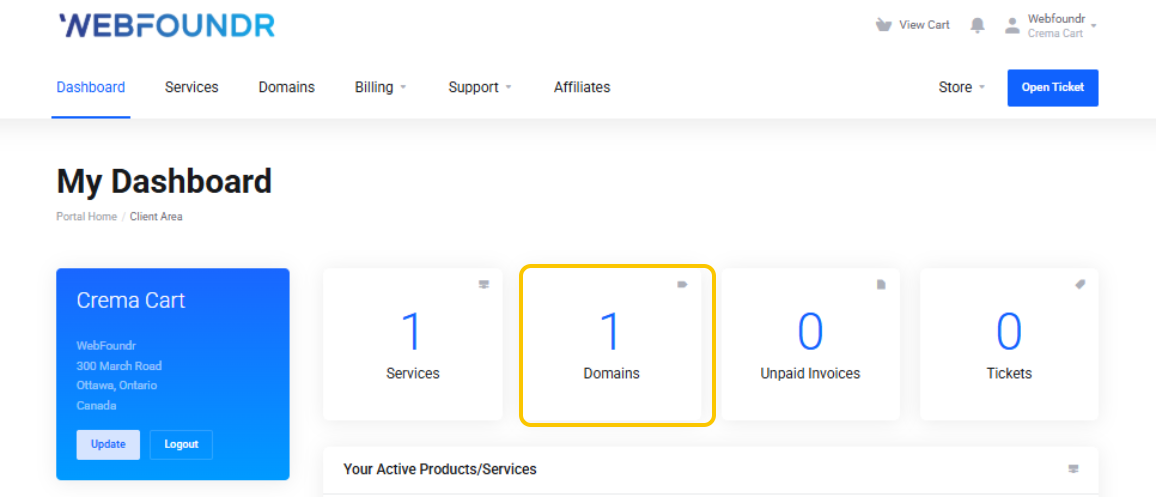
STEP 2: Click on the domains tile!
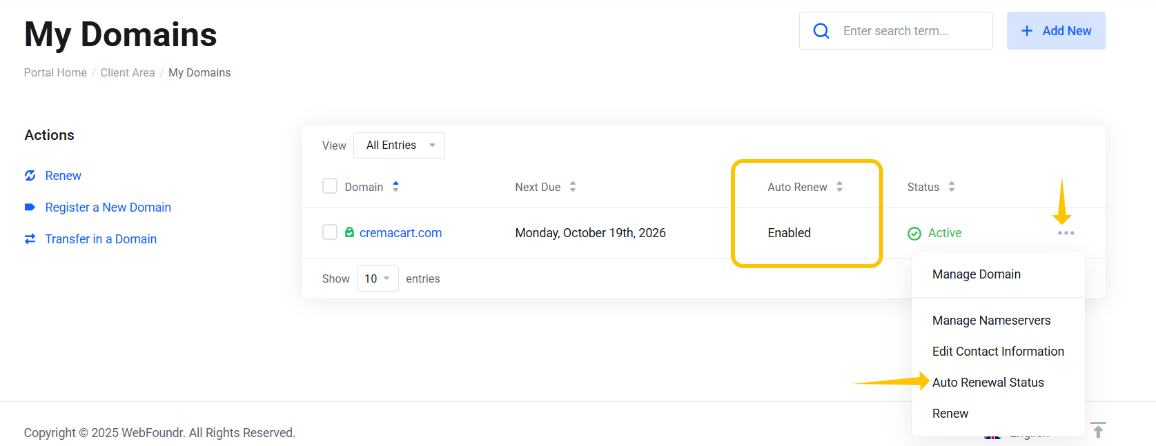
STEP 3: From this screen you'll be able to quickly see what the domain auto renewal status is. If it says 'Enabled' it's enabled! Otherwise, click on the 3 dot menu to the right and go down to Auto Renewal Status to update it!
STEP 4: Just set that to On or Off and you should be good to go.