Name servers are what connect your website to your domain and are essential to setup regardless the web hosting service you're using. Most often they are in this format: ns1.webfoundr.ca and ns2.webfoundr.ca. These are unique depending on the web hosting service ordered.
The first step to get your website live on Webfoundr's Web Hosting is to make the connection between our cloud hosting service and your domain name.
Instructions for how to update your DNS servers:
And a quick google search should help you to find the information at any other respective registrar. Or you can simply open a ticket with the respective registrar and they can take care of it for you.
Where can I find my DNS servers to use?
Name Servers are unique for each hosting service at Webfoundr. As mentioned above, they're normally in the format of ns1.webfoundr.ca and ns2.webfoundr.ca.
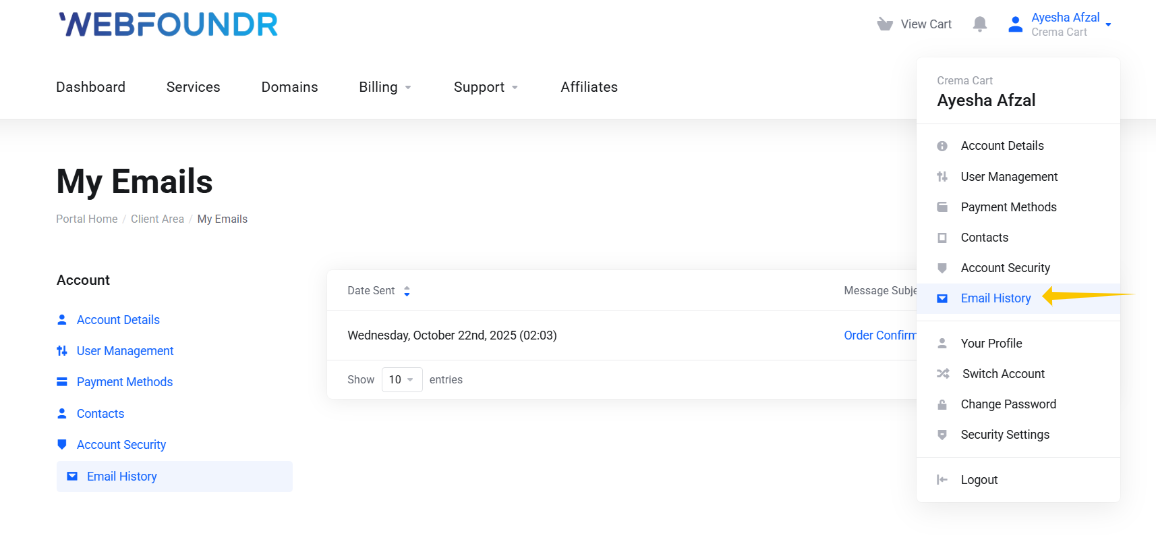
STEP 1: Your Welcome Email - When you complete your order from Webfoundr, we'll send you a welcome email that'll list your unique name servers. If you accidentally deleted the email, you can always find it in our Email history insider our Client Portal.
STEP 2: In your Webfoundr dashboard, click on you respective service to manage it. On that screen you can see the exact DNS servers to use, and it will almost certainly be ns1.webfoundr.ca & ns2.webfoundr.ca.