Domain names are virtual real estate and once registered it become your asset as long as it is renewed each year. Most domains ending in .com, that are spellable , easy to remember, and brandable only increase in value.
We believe in making the domain registration as easy as possible. Our registration rates are amongst some of the best in the industry and our Client Portal makes it easy to manage multiple domains. Rather you're starting your first domain or building a portfolio, we've got you covered.
To register your domain, simply follow these steps:
Step 1: Go to the Webfoundr and choose Hosting Plan of your choice, then click Configure Plan button!
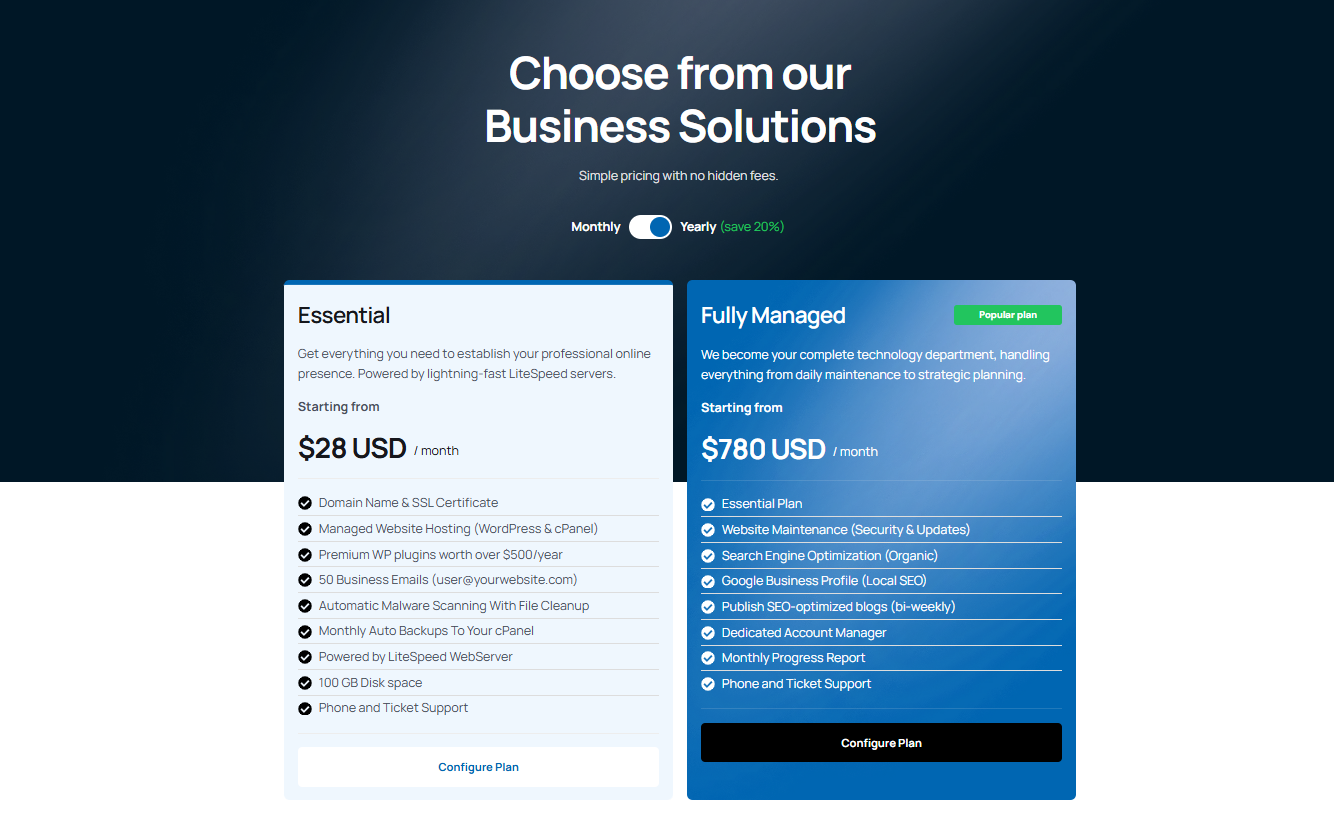
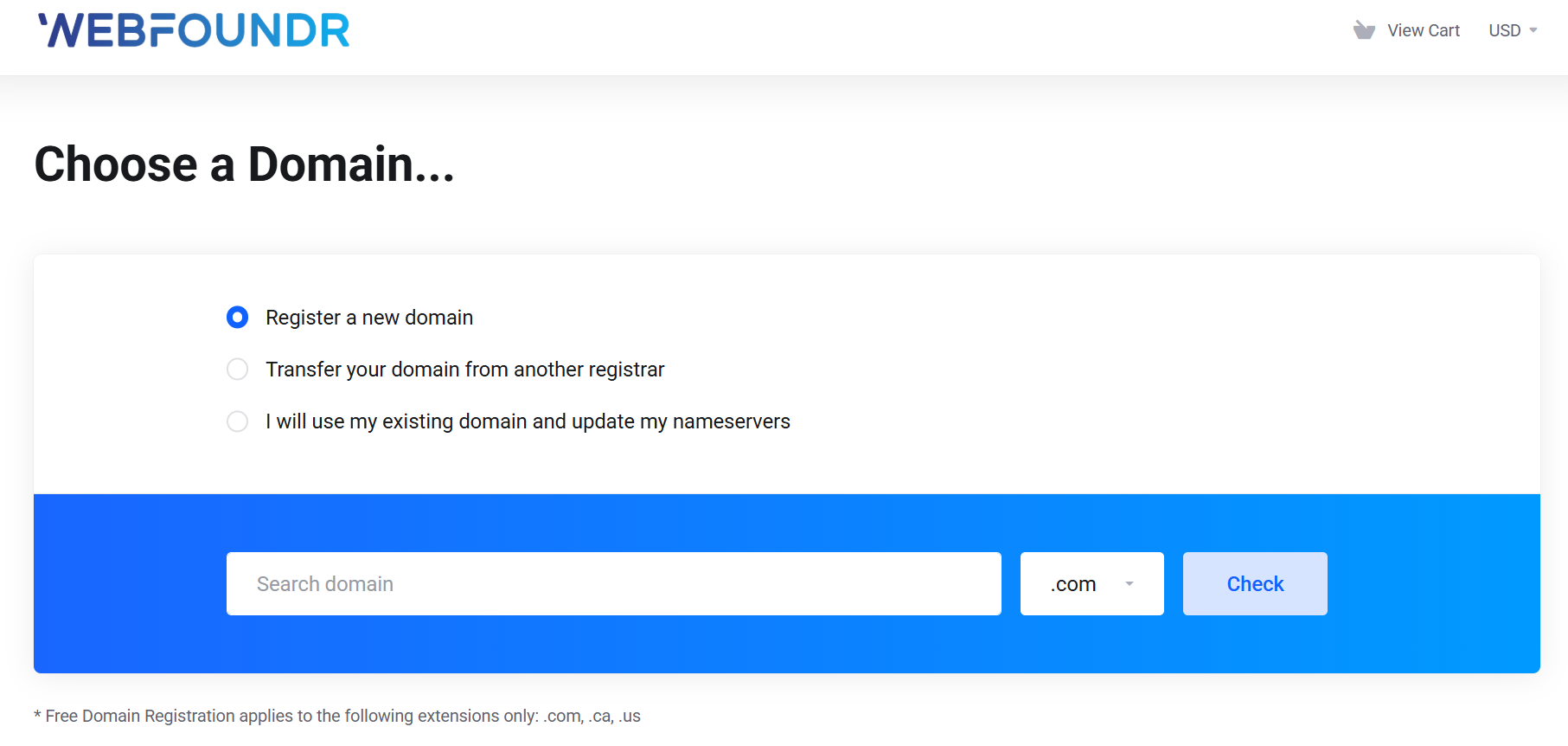
Step 2: Go to our Instant Domain Search, type in your domain, and click the check button.
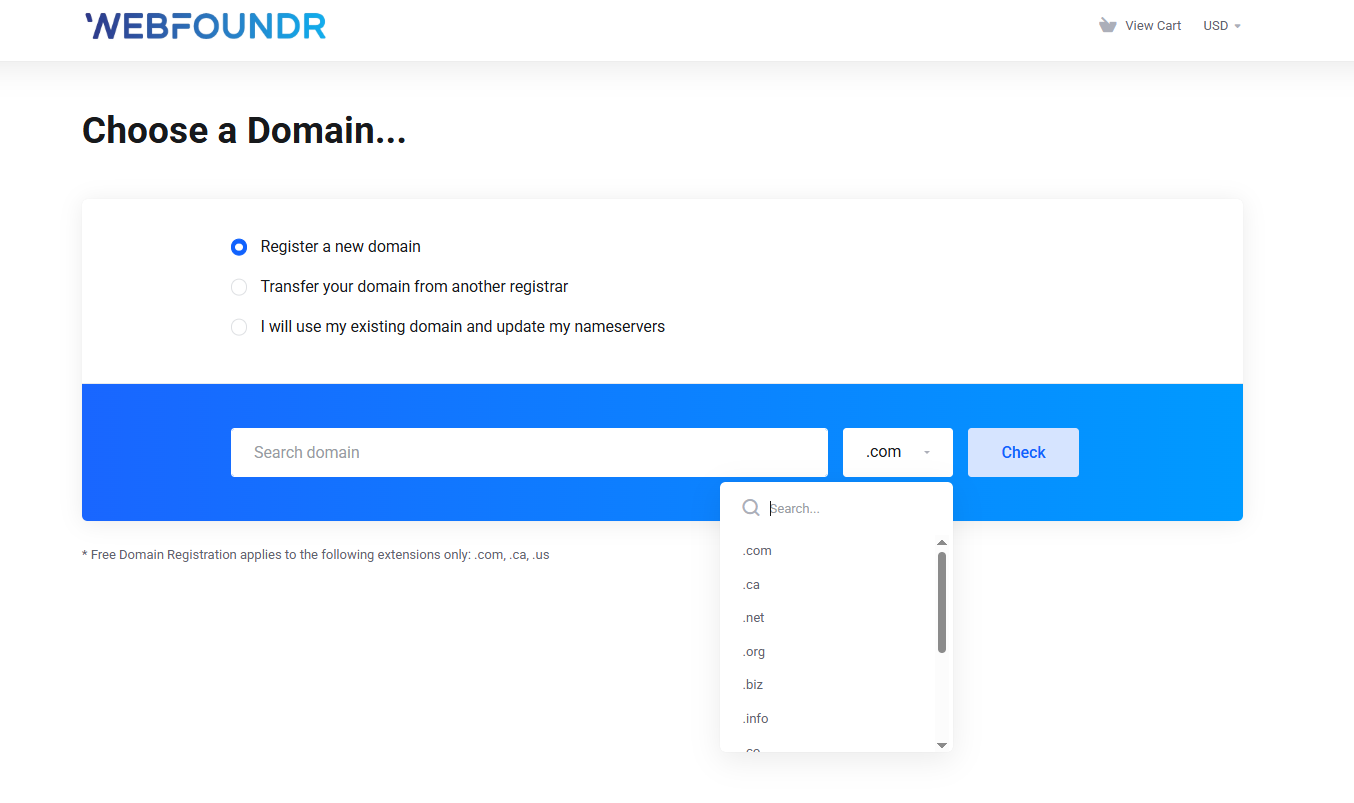
Step 3: You can also check for a particular TLD
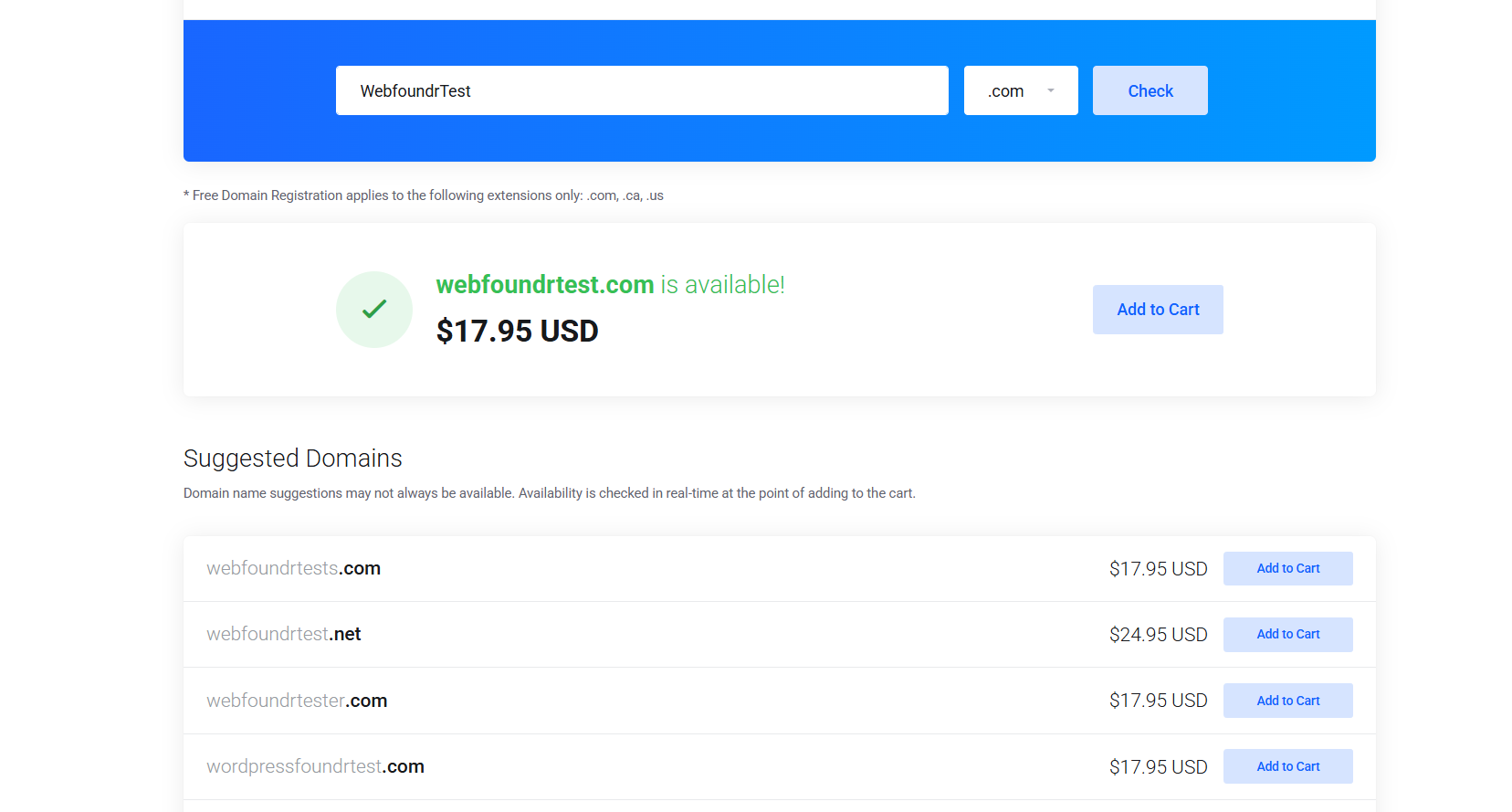
STEP 4: Once you find your desired domain, simply click add to cart and checkout!
STEP 5: Configure additional domain options!
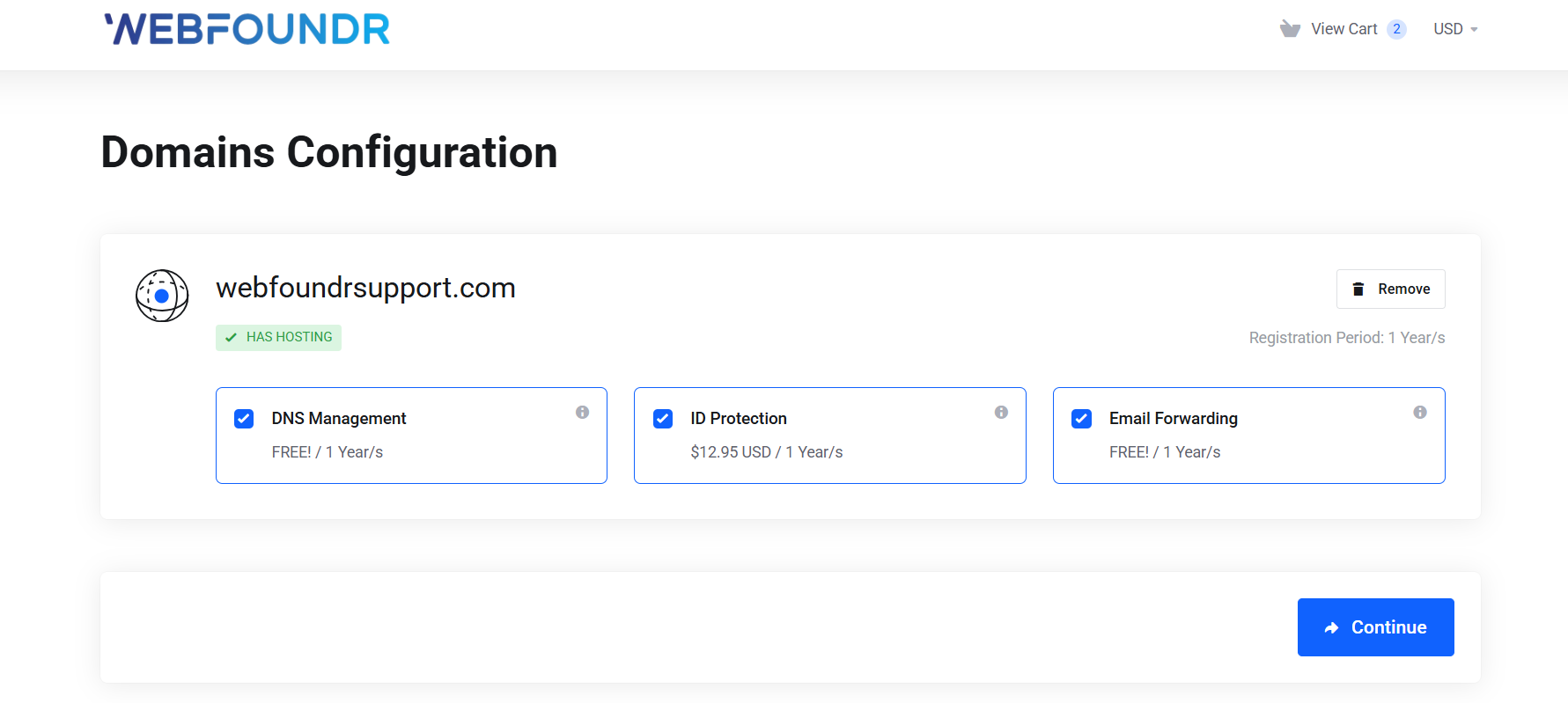
Additionally you can configure your domain with some extra services:
DNS Management - Allows you to manage DNS records for domains if you do not have a hosting service with us.
ID Protection - Protects your personal information from being shown in the public Who's database. Includes an email forward with Spam filtering.
Email Forwarding - Provides the ability to forward email @yourdomain.com to an existing email account (i.e. @gmail.com). Not needed for customers who purchase hosting with their domain.
NameServers - Enter the nameservers you wish to use for your domain. If you have an existing hosting service, these can be found inside our Client Portal or in your welcome email. If you're ordering hosting with your transfer, these will be automatically set for you.
Once finished configuring, click Continue.
Step 6: Review your cart & Checkout.
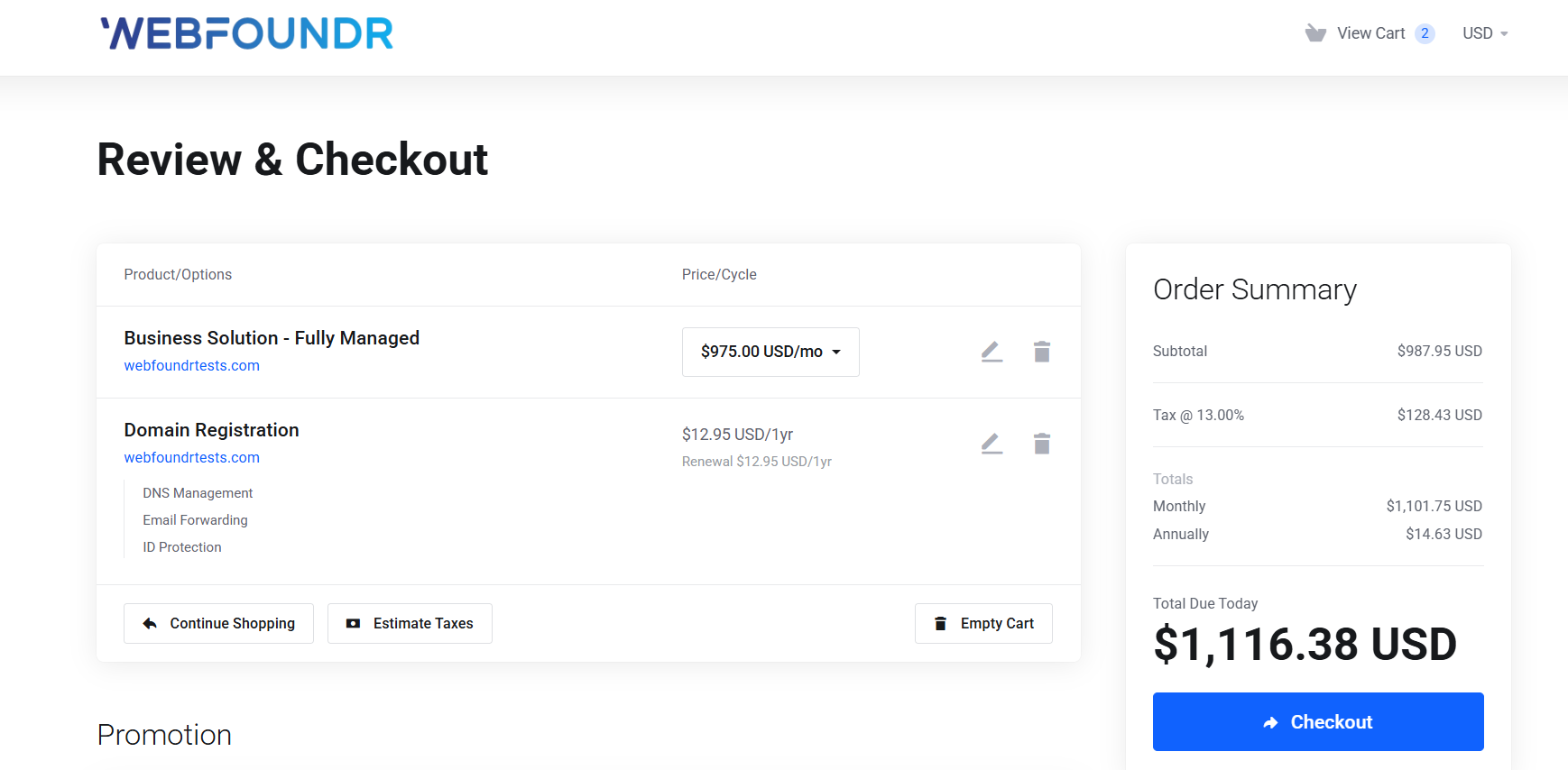
This page shows a breakdown of all domains added to your cart and the prices of any add-ons (such as ID Protection) as well as the renewal costs.
If you're an existing customer, make sure to click the Already Registered button to login. If not, proceed with filling out your information. It's important you enter valid information as our order system will not process your payment if it cannot be verified. Additionally, new customers will need to enter a unique four-digit PIN number a , to be used for verification if you need to contact support.
Finally you can enter your payment method and complete the payment. For domains, it's highly recommended you use a valid debit/credit card (we accept Visa, Mastercard, Discover, and American Express), as PayPal cannot process an auto renewal. Remember, domains must be renewed each year, and failure to pay will result in the domain becoming available to the general public. Also, Credit Card (Stripe) is best for International cards outside the United States.
To complete your order, please review our Terms of Service and Payment Policy to ensure you understand our compliance guidelines. Domain registrations and transfers are not refundable as they're immediately submitted to the registry.
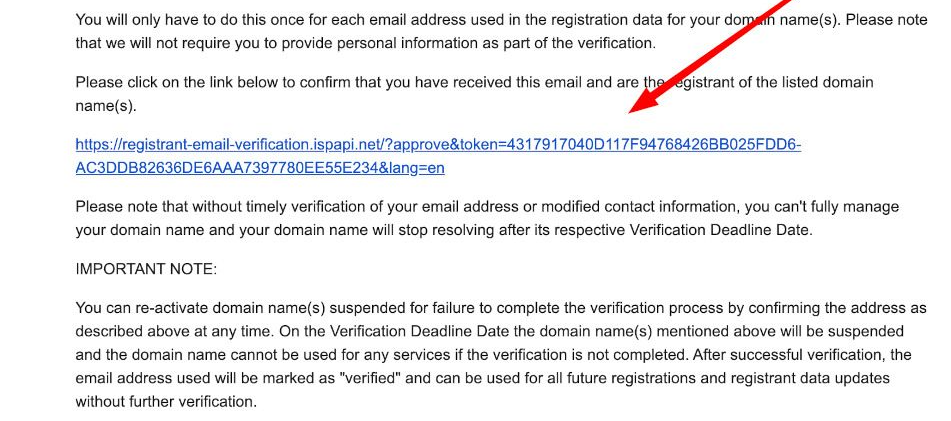
Step 7: Make sure to verify your email address! ICANN requires all domain names registered to verify their contact email! Within a few hours or 24-48 hours be on the lookout for a domain 'verification' email. You'll need to click on the link to verify! You will only need to do this one time and you are good. Failure to click on this link and verify your contact information means you domain name will drop offline by the registrar within 15 days! So it's important to take care of this final step!
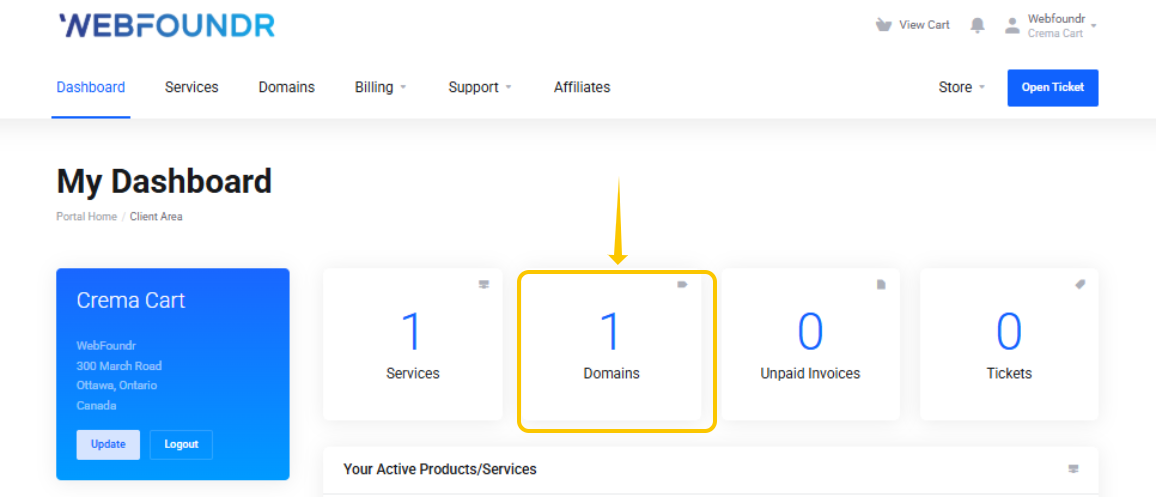
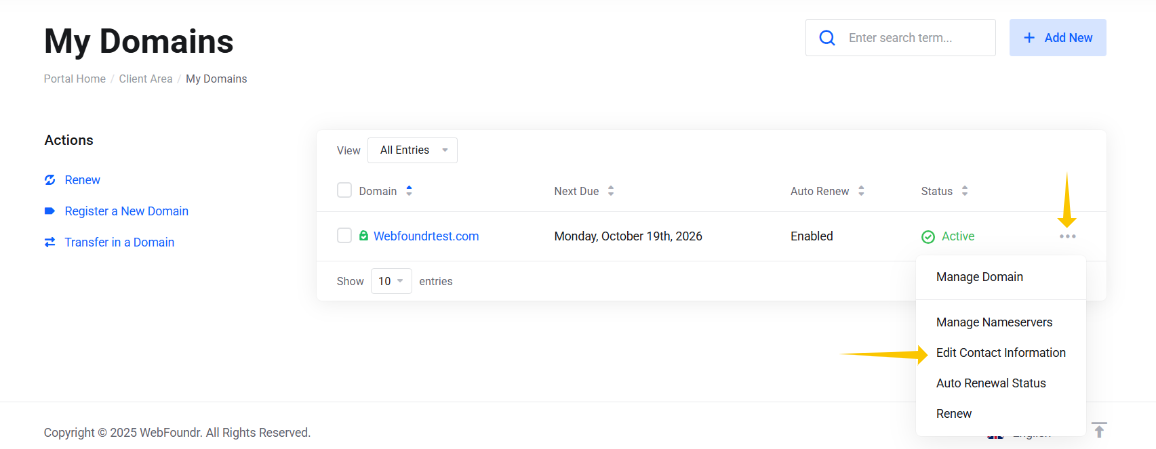
Step 8: Begin managing your domain via your Webfoundr Client Portal! You can click the Domains tab to see all of your domains and perform management actions such as changing your nameservers (to connect it to your web hosting account). To manage the domain, click the "3 dots" menu to the right of the domain like so:
The 3 dot menu to the right of the domain, if clicked on shows you additional management options!
To connect a new domain to your existing web hosting package, you may enter the unique nameservers of your package here. These can be found inside our Client Area for the specific package or in your hosting account welcome email.
Remember, when you change the nameservers of your domain, they take a couple of hours to propagate live across the Internet. This may take anywhere from an hour to 24 hours depending on your local Internet service provider.
By Default, all domains are on auto renewal, so if you register a domain you do not wish to automatically renew each year, you must disable this inside the client area.