What makes us different from any registrar or web host on the Internet is our ability to allow you to register a domain, purchase web hosting and manage everything from a powerful and easy to use platform.
In this brief tutorial, we'll show you how to get started.
Step1: Go to www.Webfoundr.com and enter your desired domain (See also - How To Register A Domain Name).
For this example we are going to register WebfoundrSupport.com.


Step 2: Once we find out the domain is available,we'll click Proceed to the Cart. After that, we'll select how long we want to buy the domain for, selecting 1 year for $17.95 (price subject to change).


Step 3: Now that we've added hosting and selected our Registration Period, we're ready to select Addons.
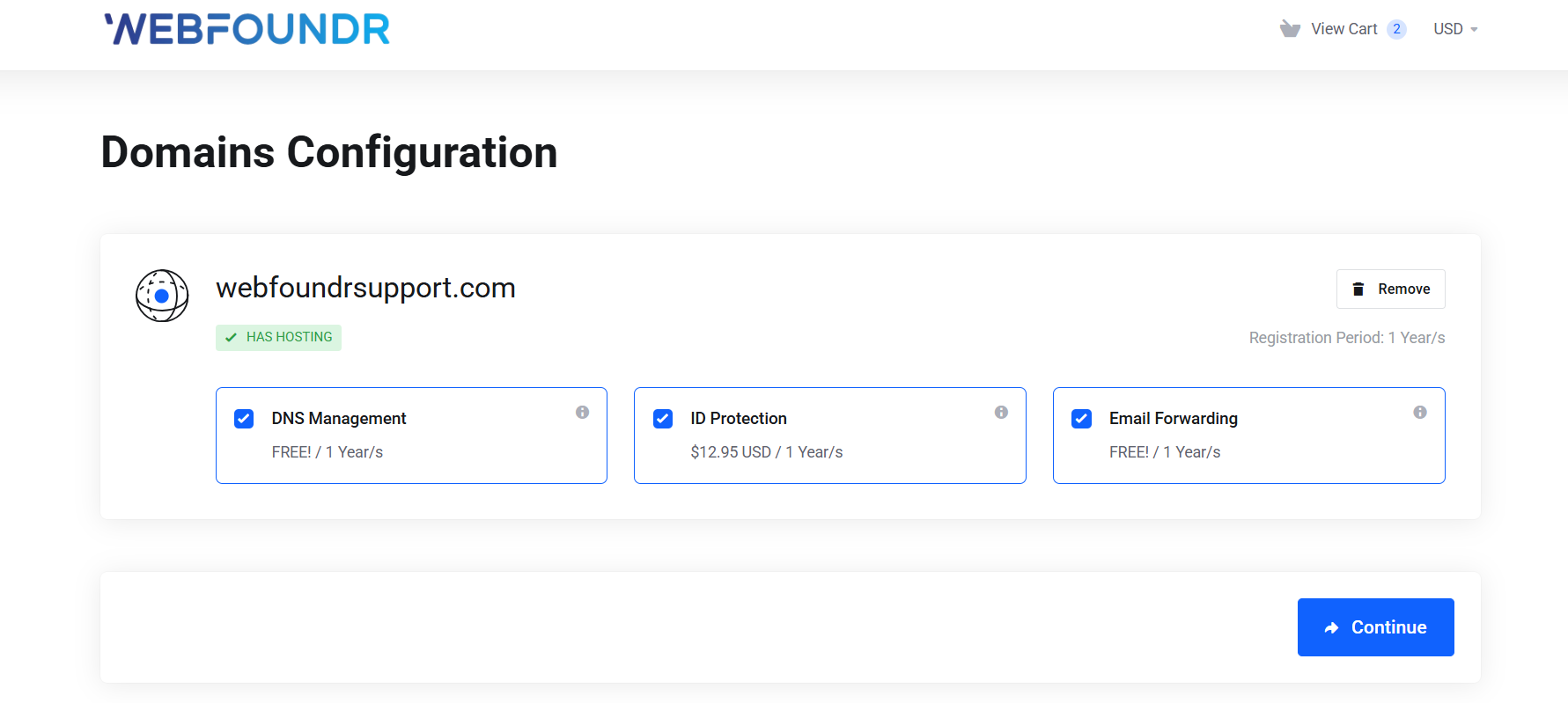
Tip: We recommend all Addons to ensure the highest level of service, including our state of the art DNS Management, Email Forwarding and ID Protection

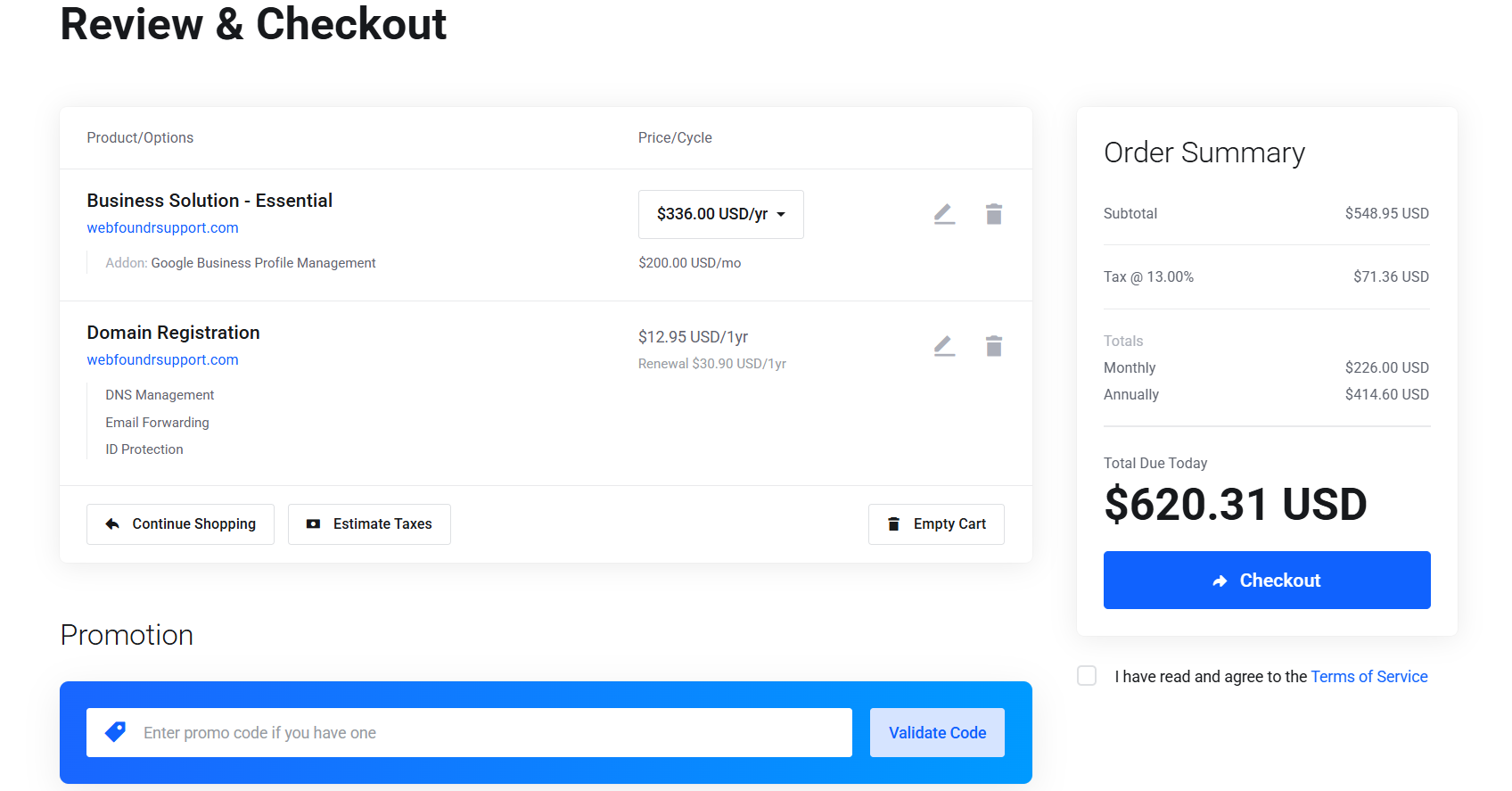
Step 4: In this step, we'll verify all that we have done. We have...
Selected our "Essential" package at the monthly rate of $17.95.
We're registering the domain WebfoundrSupport.com.
Including the Addons of DNS Management, Email Forwarding and ID Protection.
Now it's time to enter a Promotional Code if we have one. We will leave it as it is as we don't have a code right now.

Step 5: Now, we need to setup our account and enter our domain registration information.

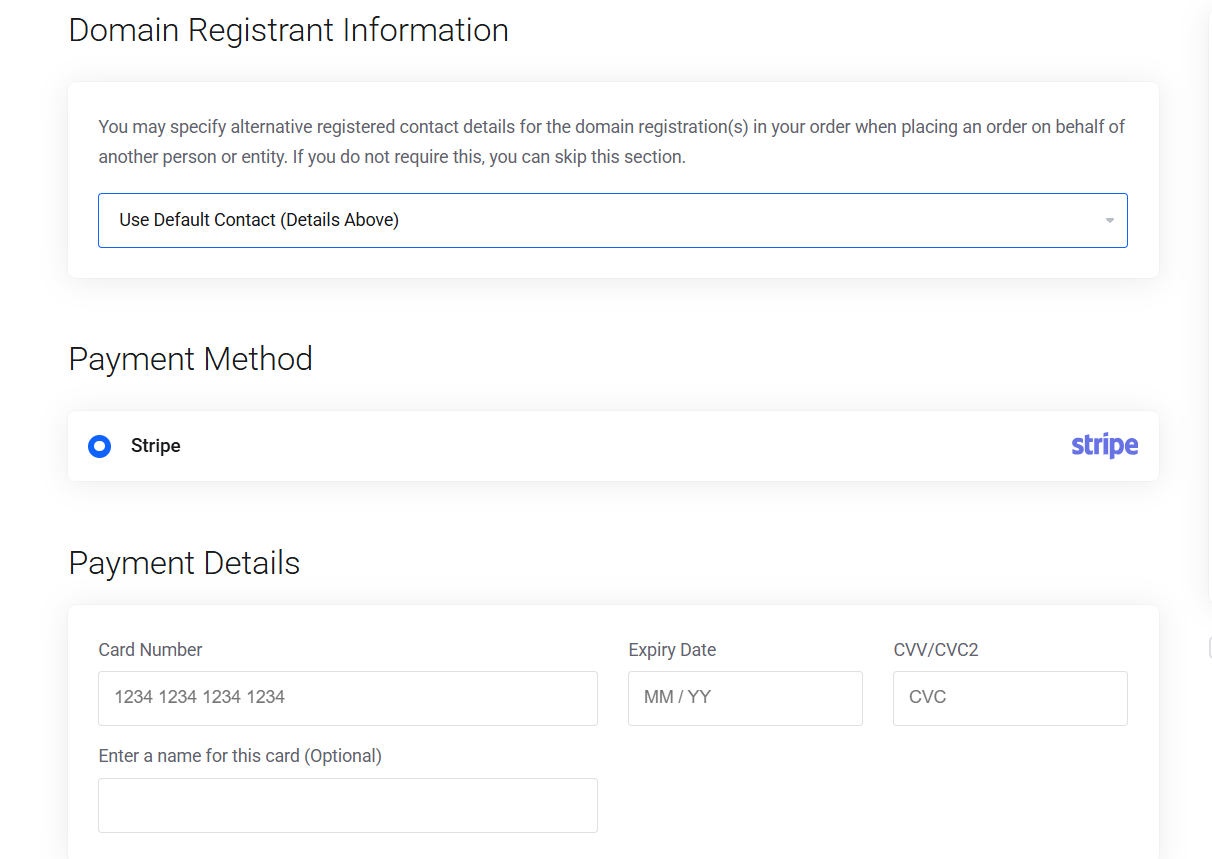
Step 6: Once that information has been filled out, we'll enter our Credit Card information in the boxes below.

Step : After checking that our information is correct, Agree to the Term of services than click the "Check Out" button.