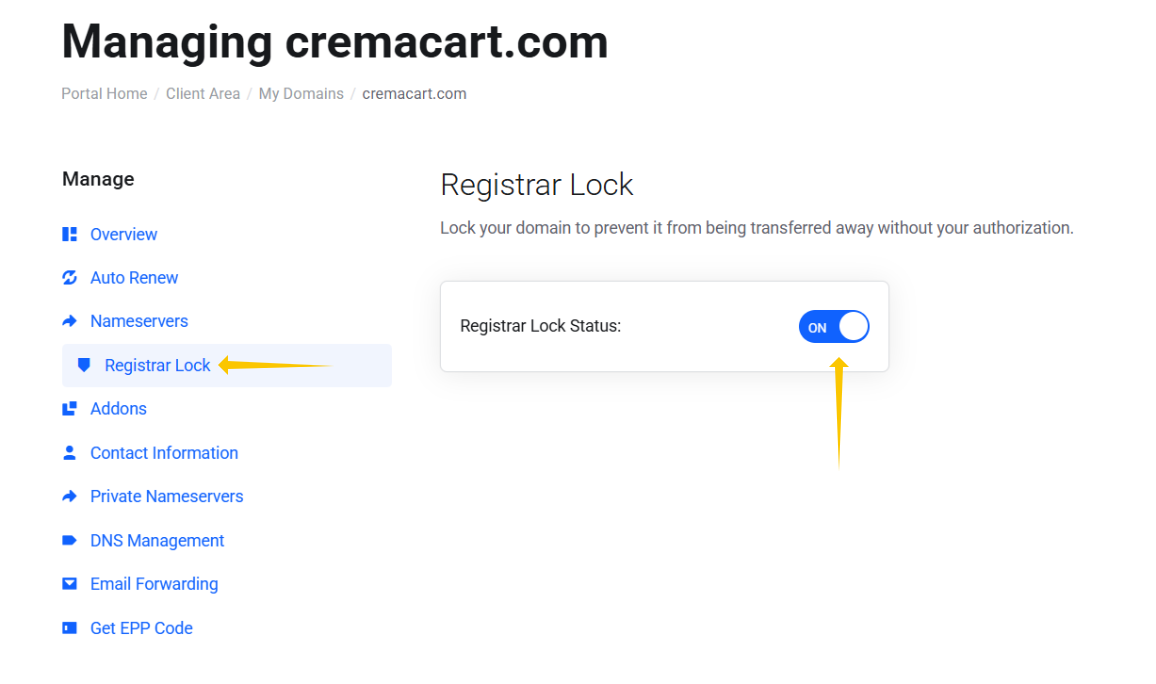
Registrar Lock is a status code that can be set on an Internet domain name by the sponsoring registrar of the domain name. This is usually done in order to prevent unauthorized, unwanted or accidental changes to the domain name.
In this tutorial, we’ll show you how to enable and disable registrar lock.
Step 1: Login to your Webfoundr Dashboard.
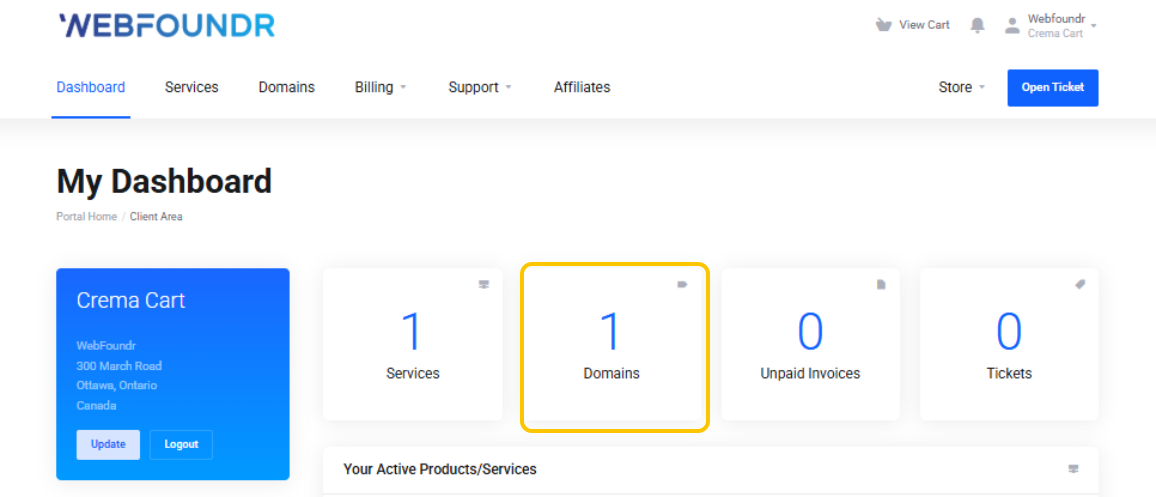
Step 2: Once logged in, click on the 'domains'.
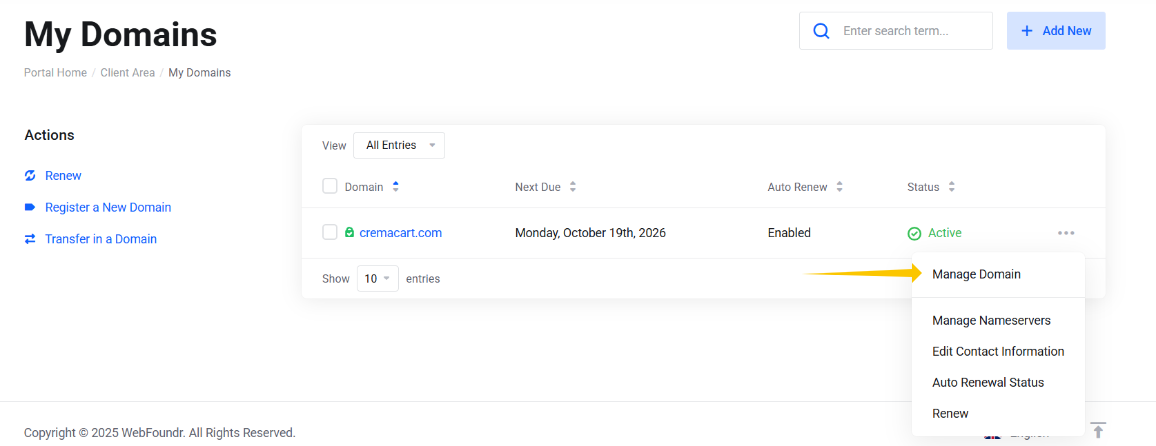
Step 3: Click on the three dot menu on the right of the domain for the drop down. Click on Manage Domain.
Step 4: Now click on Registrar Lock and untoggle the On to Off. You are now done. You can enable or disable the registrar lock this way.