Sometimes you just forget your cPanel email password or for security reasons, you need to reset it! This simple tutorial will show you just how to do that!
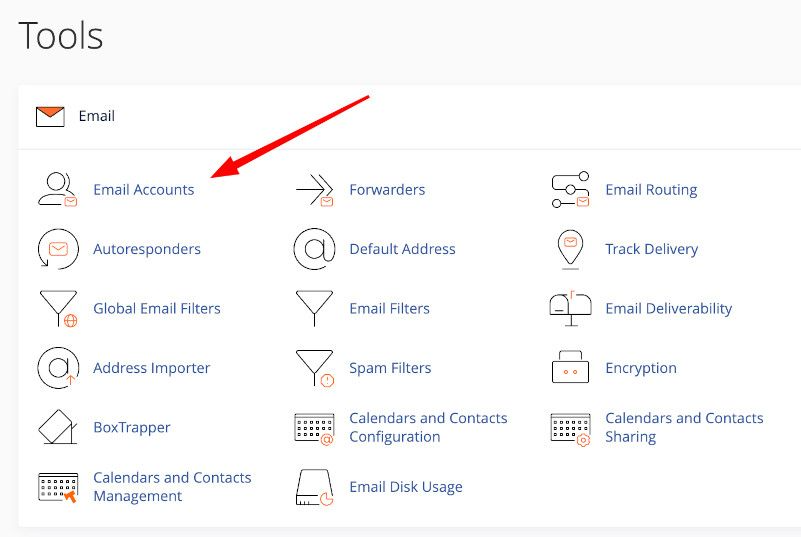
STEP 1: Login to your cPanel account and click on Mail Accounts.
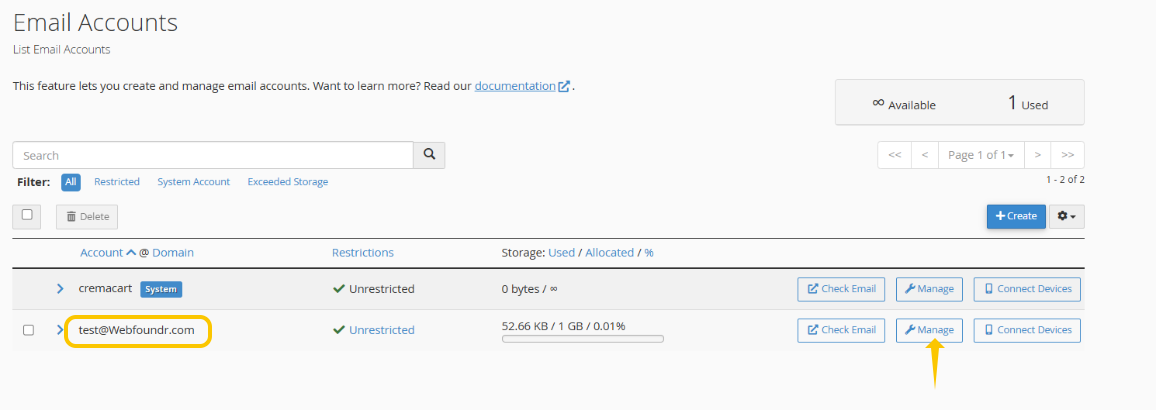
STEP 2: Find the email account you wish to change the password on and click on 'Manage'.
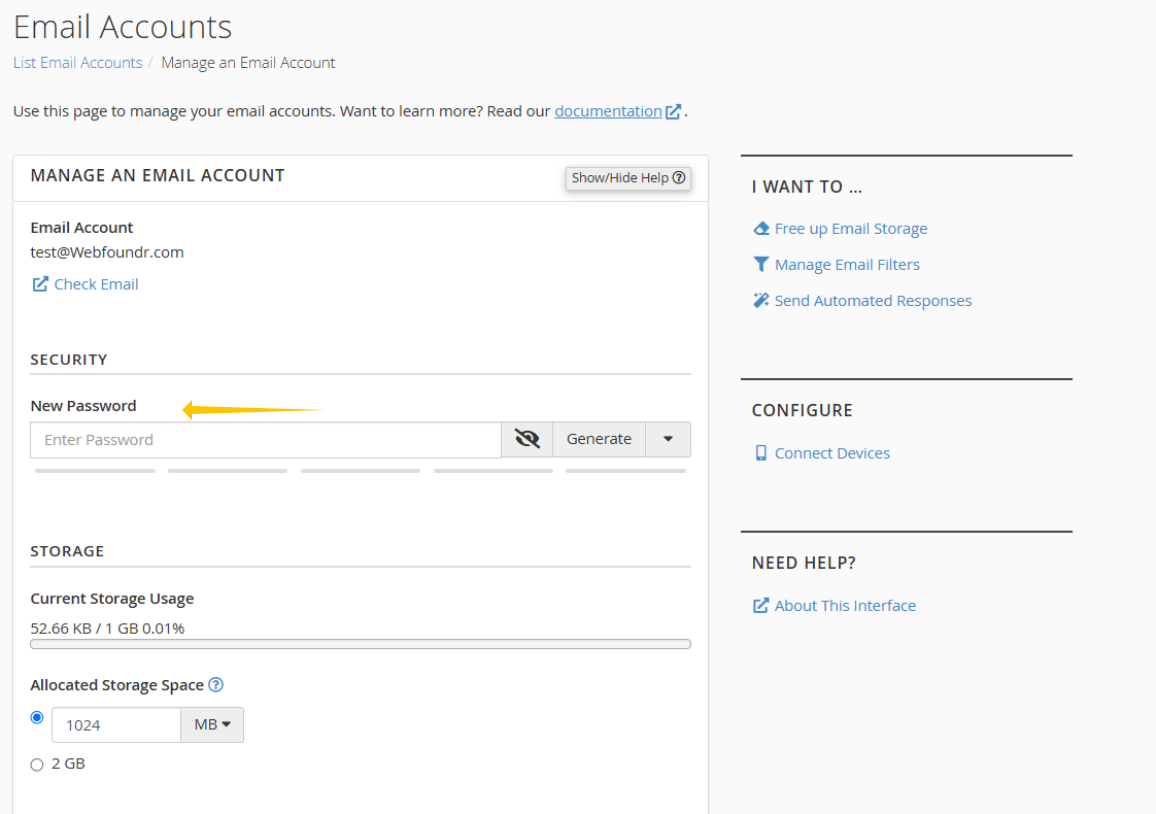
STEP 3: Change the password or use the password generator for strong passwords. It is highly recommended in this day and age to use strong passwords for all your accounts. After you end you pass, scroll down and hit save.