A TXT record is a DNS record that is used to associate arbitrary text with a host or other name. It is mainly used to verifying domain ownership , setting SPF record or dmarc records.
In this article, we will show you how to add a TXT record. Usually google requires a TXT record in the DNS for verification.
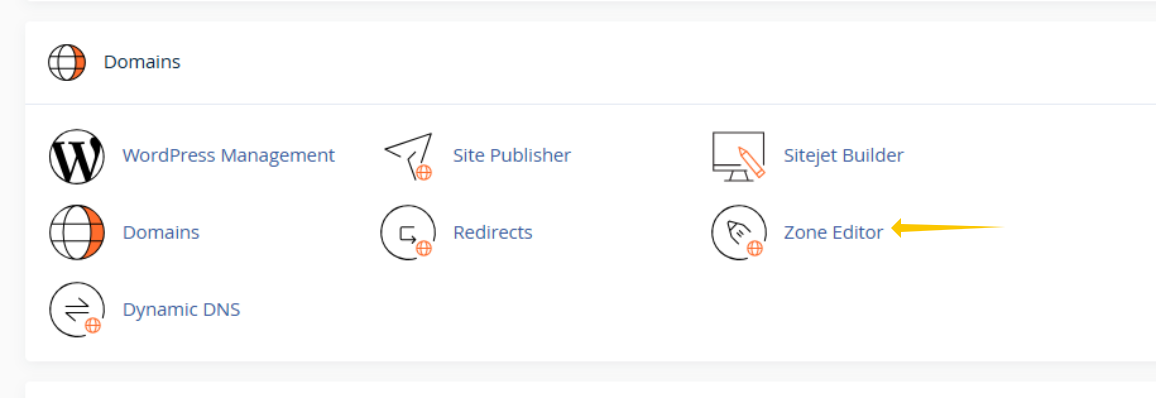
Step 1: Login to your cPanel and click on the Zone Editor
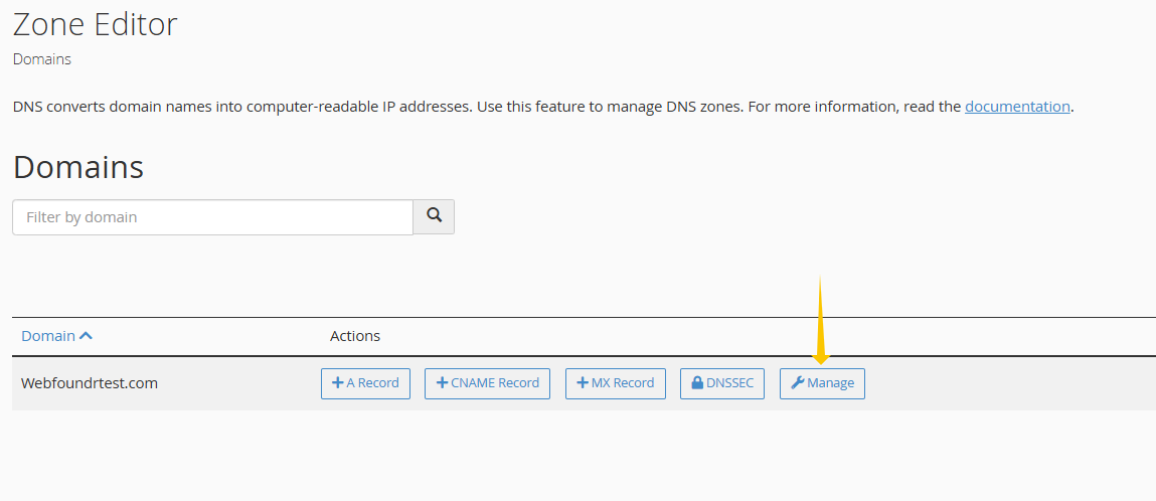
Step 2: Click on Manage next to the domain you wish to add the TXT record for.
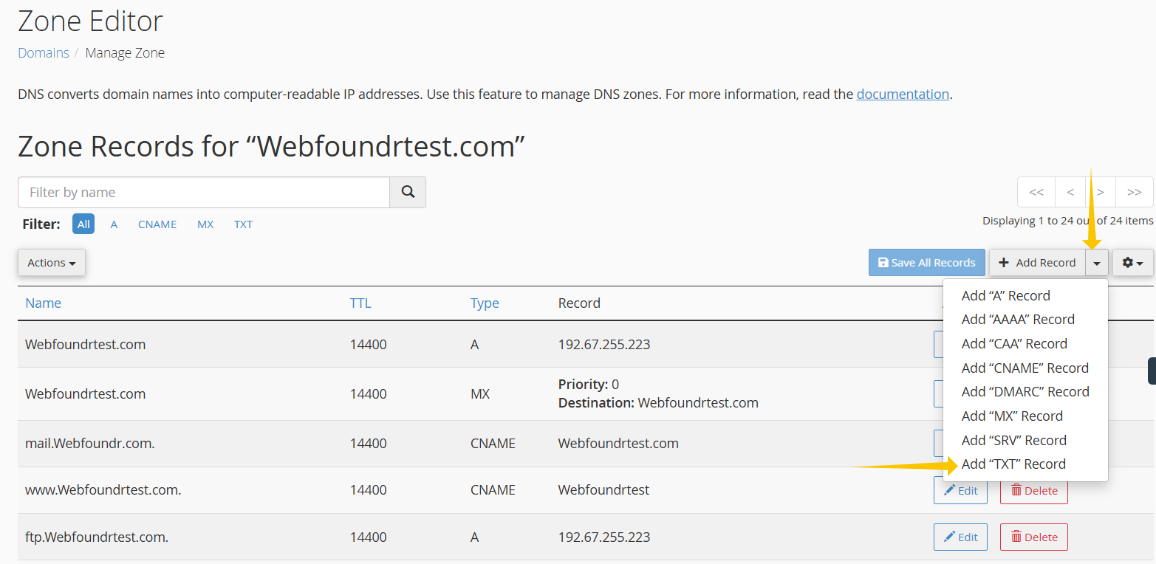
Step 3: Use the drop down to select the Add TXT record.
Step 4: In the Name field, put your domain with a 'dot' at the end like seen below. You can leave the TTL and Type as is and then in the Record section add the required TXT information that needs to be added. Once done, hit Save Record and you are done! It's that easy!
