For those who wish to keep their email server-side, Apache SpamAssassin™ has been helping fight the good fight for nearly two decades.
Apache SpamAssassin is an intelligent email filter that uses a diverse range of tests to identify unsolicited bulk email, more commonly known as spam. These tests examine email headers and content to classify emails with advanced statistical methods.
When configured properly, you can reclaim your inbox without having to use third-party service providers or expensive software. Apache SpamAssassin is 100% free and part of every account here at Webfoundr.
By default, we have the software enabled, but still allow it to process new emails, marking suspicious messages as spam.
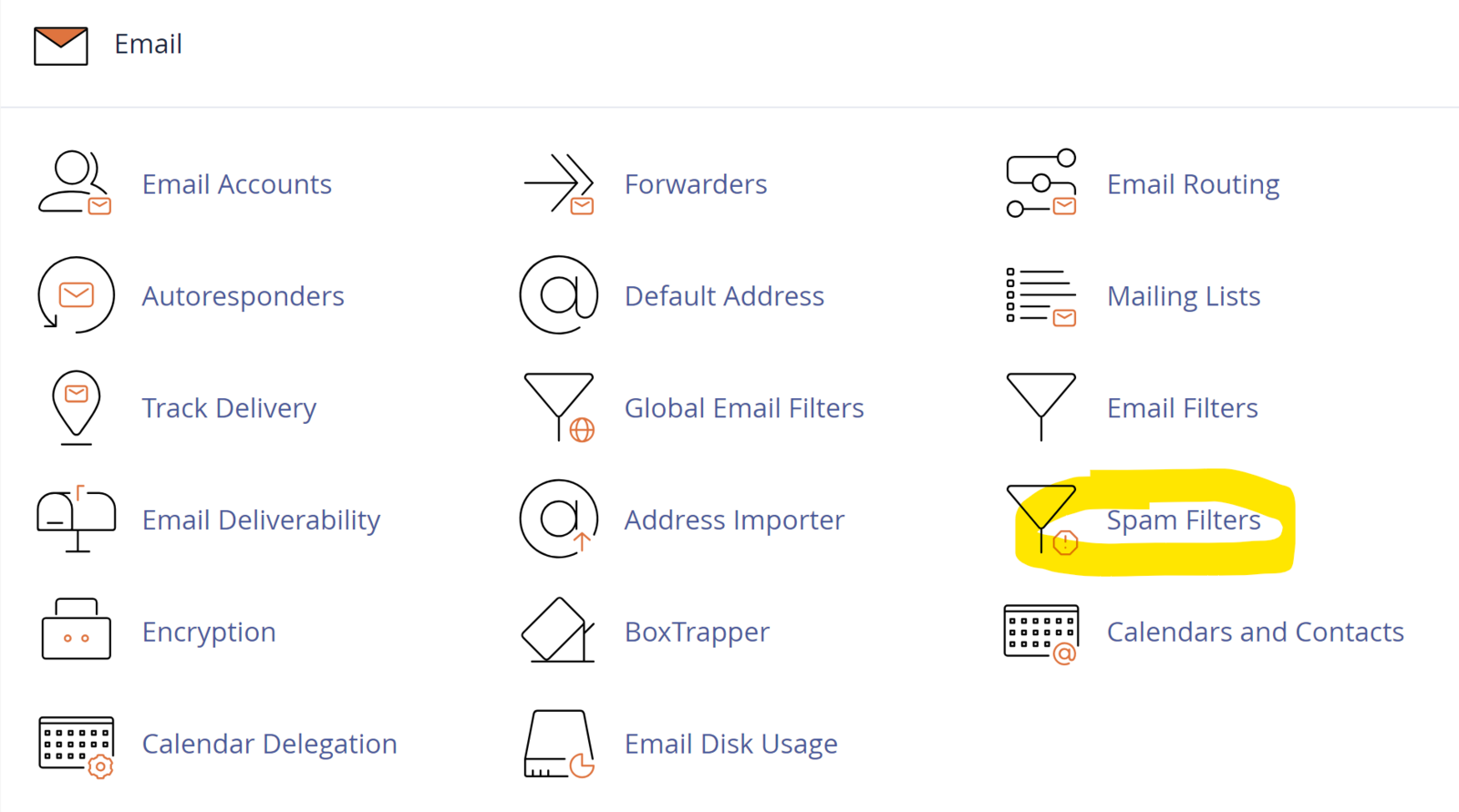
You can control/modify to meet your exact needs by going into cPanel -> Spam Filters:
From here, you can disable the default filter (not recommended), configure auto-delete, or set some unique filters:
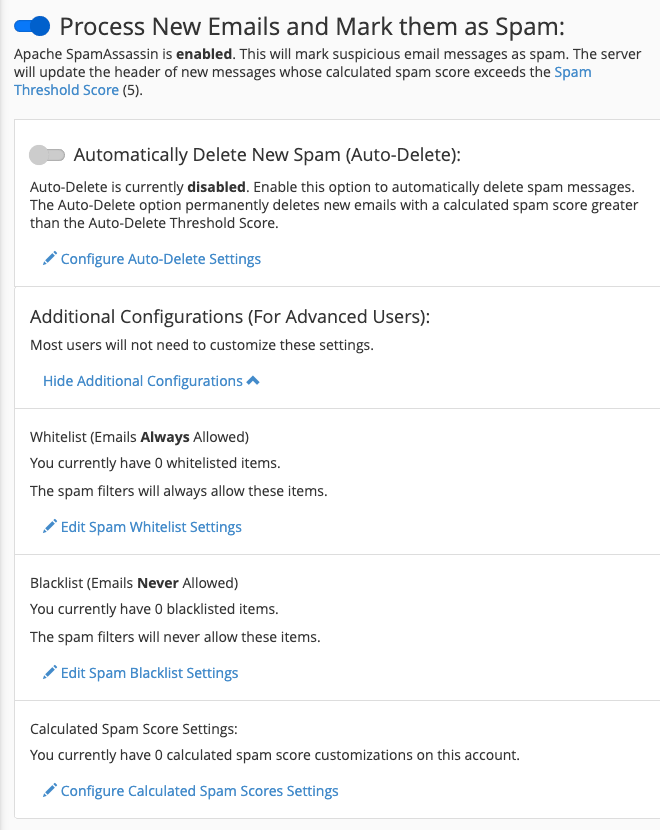
Spam Threshold Score - You'll notice in the screenshot above, the default spam threshold score is 5. This setting determines how aggressively emails are scanned. If you click the link, you can adjust this:
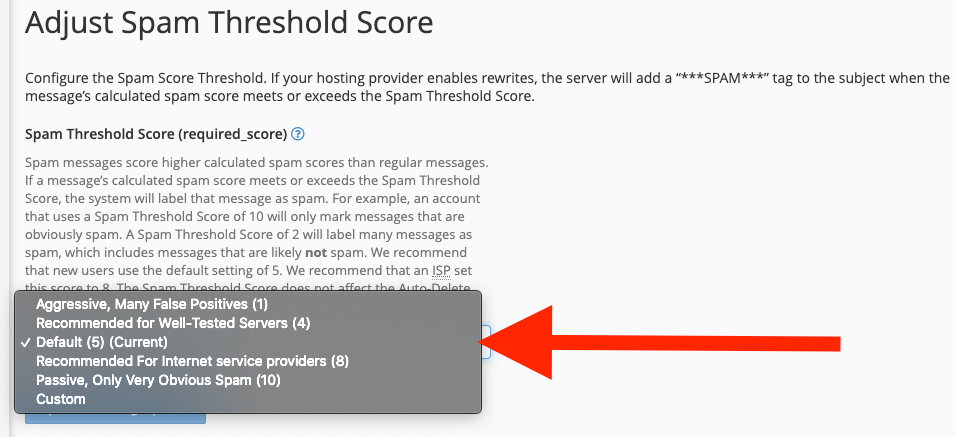
Spam messages score higher calculated spam scores than regular messages. If a message’s calculated spam score meets or exceeds the Spam Threshold Score, the system will label that message as spam.
For example, an account that uses a Spam Threshold Score of 10 will only mark messages that are obviously spam. A Spam Threshold Score of 2 will label many messages as spam, which includes messages that are likely not spam.
We recommend that new users use the default setting of 5. We recommend that an ISP set this score to 8. The Spam Threshold Score does not affect the Auto-Delete Threshold Score.
Automatically Delete New Spam (Auto-Delete) - Enable this option to automatically delete spam messages. The Auto-Delete option permanently deletes new emails with a calculated spam score greater than the Auto-Delete Threshold Score. This setting isn't recommended as it's possible a false-positive could mean missing an intended email without the original sender ever knowing it failed.
Additional Configurations - Most users won't need to modify these, but if you're having regular issues with legitimate emails being marked as Spam, you can whitelist addresses here so they'll always be processed. Likewise, if you're constantly receiving bulk/unwanted email from a specific email address (or domain), you can set up Blacklists to always mark as spam. You can also "tweak" the Spam Score Settings a bit to be more specific to your needs.
For us internally, we whitelist any emails from our own domain (Webfoundr.com) to ensure all of our team members are able to communicate efficiently without ever missing an email.