At Webfoundr, we use CloudLinux as the operating system for our Web hosting servers to enhance the stability of our services.
One of the greatest benefits of CloudLinux is the ability to select custom PHP versions for each cPanel account, allowing for websites that require specific PHP versions.
However, CloudLinux's PHP Selector does not have the option to set a different PHP version for Addon Domains or Subdomains. But don't worry, you can still have a different PHP version for these domains or even specific directories by using handlers in your .htaccess file.
To change the PHP version on your account, simply add one of the following handlers in the .htaccess file according to your desired PHP version.
AddHandler application/x-httpd-alt-php56 .php .php5 .phtml
AddHandler application/x-httpd-alt-php70 .php .php7 .phtml
AddHandler application/x-httpd-alt-php71 .php .php7 .phtml
AddHandler application/x-httpd-alt-php72 .php .php7 .phtml
AddHandler application/x-httpd-alt-php73 .php .php7 .phtml
AddHandler application/x-httpd-alt-php74 .php .php7 .phtml
AddHandler application/x-httpd-alt-php80 .php .php8 .phtml
AddHandler application/x-httpd-alt-php81 .php .php8 .phtml
AddHandler application/x-httpd-alt-php82 .php .php8 .phtml
AddHandler application/x-httpd-alt-php83 .php .php8 .phtml
For example, if you want to configure PHP 8.2 in a directory called "WordPress":
1: Log into your cPanel account and navigate to "File Manager" under "Files" section.
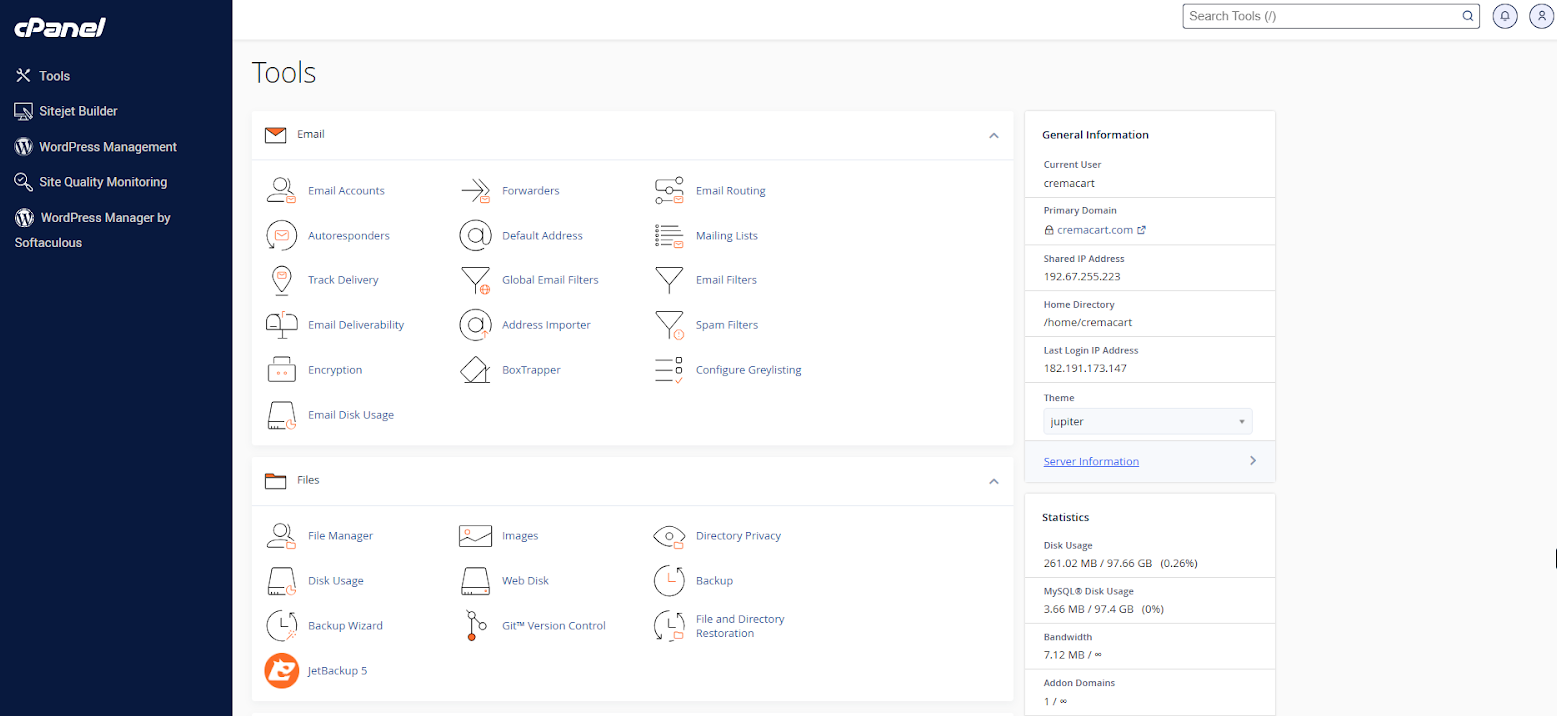
2: Locate and open the "WordPress" directory.
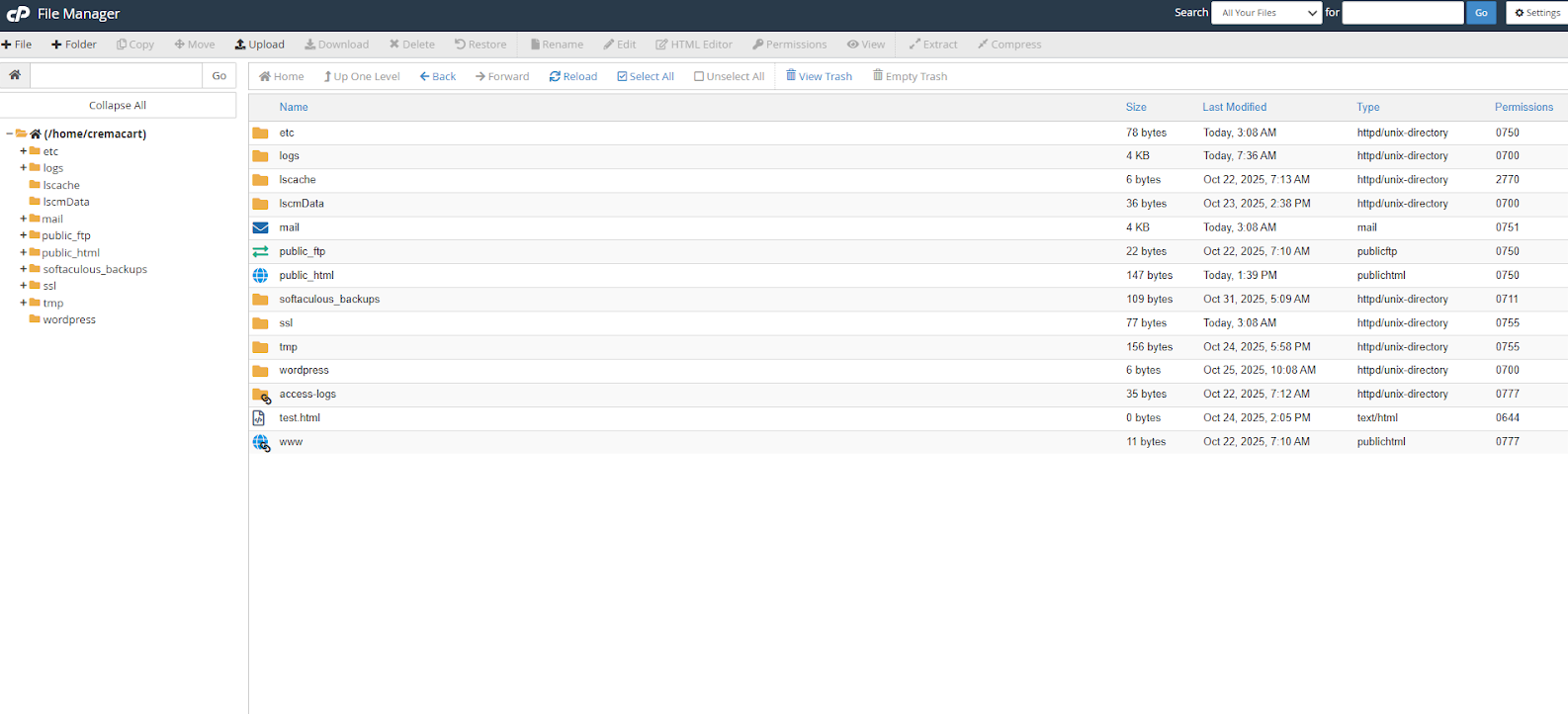
3. Open the ".htaccess" file and insert the following handler:
" AddHandler application/x-httpd-alt-php82 .php .php8 .phtml "
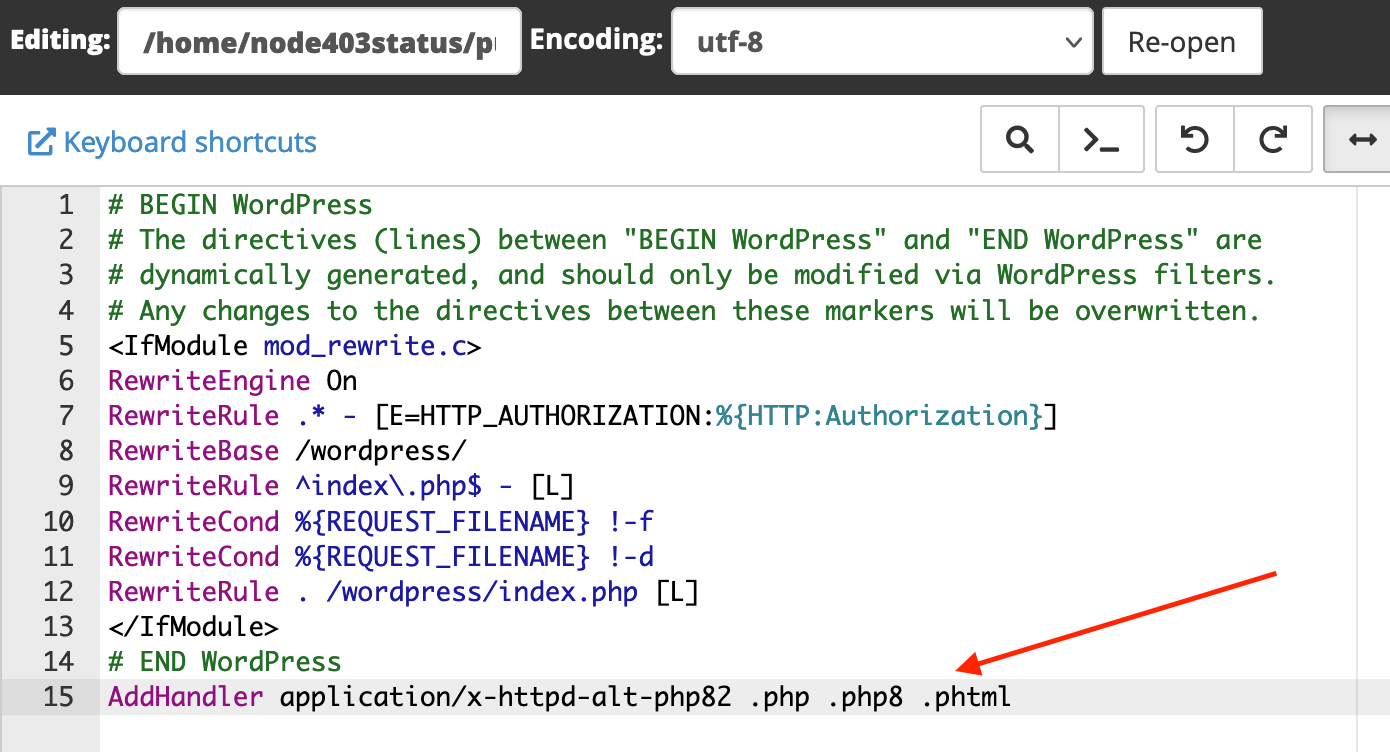
4. Save the changes.
That's it! Now you know how to choose custom PHP versions for your add-on domains or subdomains.