Submitting a ticket is one of the ways that you can quickly get ahold of our Webfoundr Support Staff. Our goal at Webfoundr.com is to make your web hosting experience as easy as possible so you can focus on what matters, your website or business!
In this guide, we’ll show you how to submit a support ticket.
STEP 1: Login to your Webfoundr Dashboard!
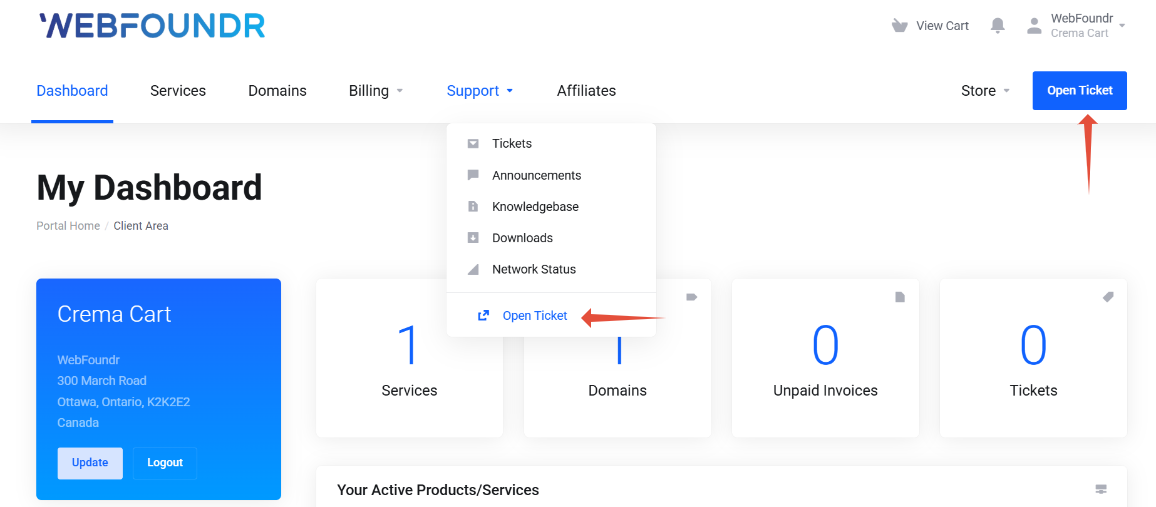
STEP 2: After login, click on 'Open Ticket' button on menu bar or you can click on support and then click on 'Open Ticket' drop down.
STEP 3: Choose the desired support ticket type on the Choose Department Page.
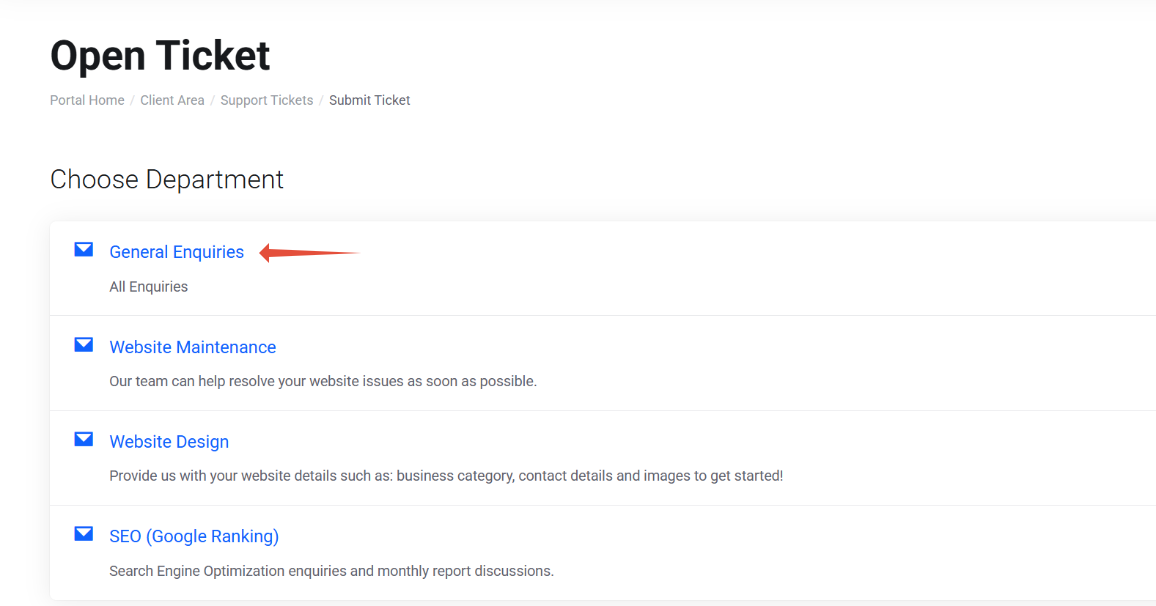
Fill out the rest of the form and your ticket will be opened and put into the ticket queue! A support tech will be looking at it very shortly!
You can also, use our Chat to talk to a tech 24 x 7 or simply call us M-F 9-5 CST