A nameserver is a specialized server on the internet that handles queries or questions from your local computer, about the location of a domain name's various services.
A great simple way to think about nameservers is using a phone book analogy. If you were trying to call Webfoundr.com you might have remembered our phone number, but more than likely you'd want to look it up before just guessing at numbers.
This same story is also true for the internet and domain names. As an example, you're reading this article right now on our Webfoundr.com domain name.
In this tutorial, we’ll show you how to modify your site’s nameservers.
1. Login to Webfoundr Client Area
2. Click the Domains panel.

3. Click the 3 dots next to the domain that you would like to modify and select Manage Domain. In this example, we're going to select Cremacart.com:

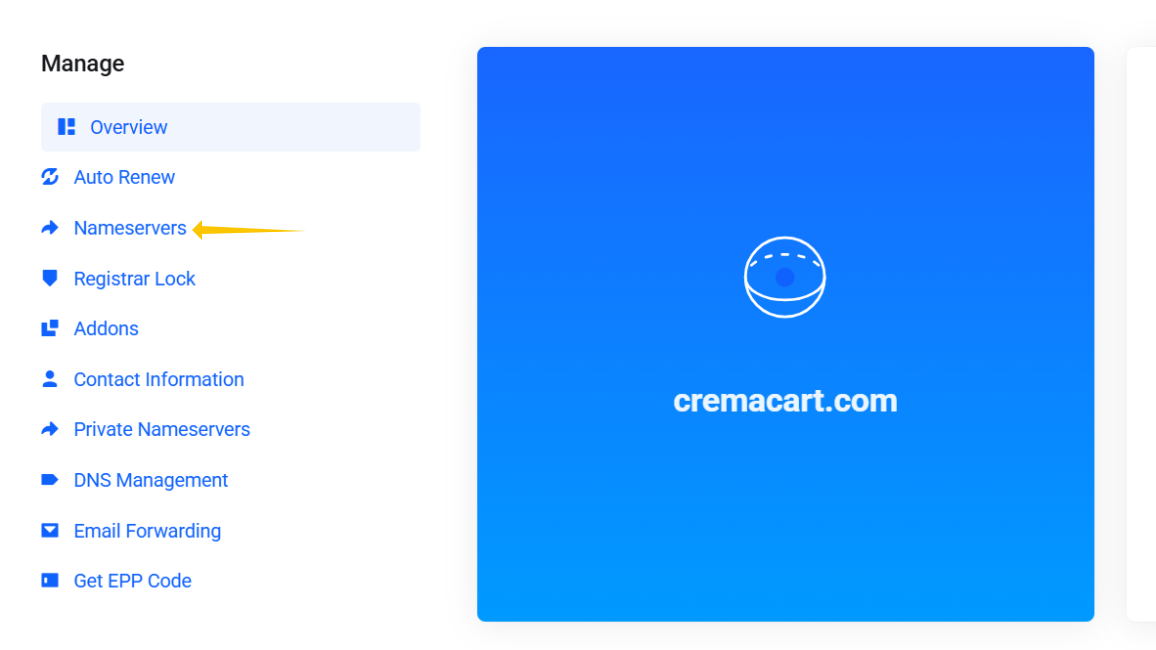
4. Select the Nameservers menu item on the left side menu:
5. The "Use default nameservers" option should be selected by default. To change this, tick "Use custom nameservers (enter below)" and enter the new Nameservers:
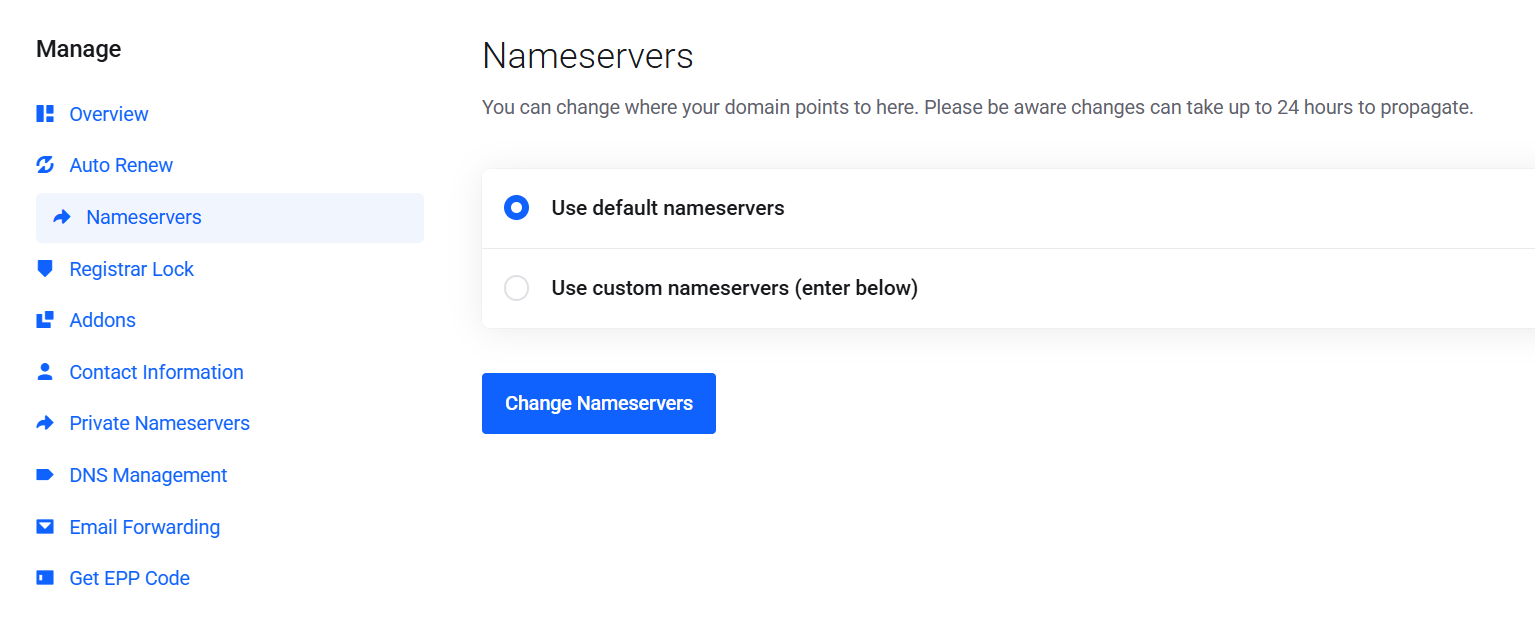
ℹ️ Once changed, you will no longer have access to our superior DNS management services. Also, changes can take up to 24 hours to fully propagate throughout the internet.