The HTTP response status code 301 Moved Permanently is used for permanent URL redirection, meaning current links or records using the URL that the response is received for should be updated. The new URL should be provided in the Location field included with the response.
cPanel makes it easy to setup these redirects. In this tutorial, we’re going to show you how to setup 301 redirects in cPanel.
Step 1: Login to the Client Area.
Step 2: Access cPanel in your account.
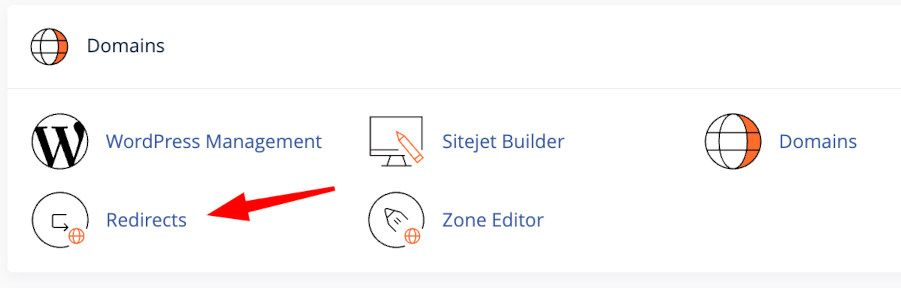
Step 3: Once in to the cPanel interface, scroll down to Domains and click Redirects.
Step 4: On the Redirects page, we're going going to setup our redirect. In this example, we're going to redirect Webfoundr-test2.com to Webfoundrtest.com.
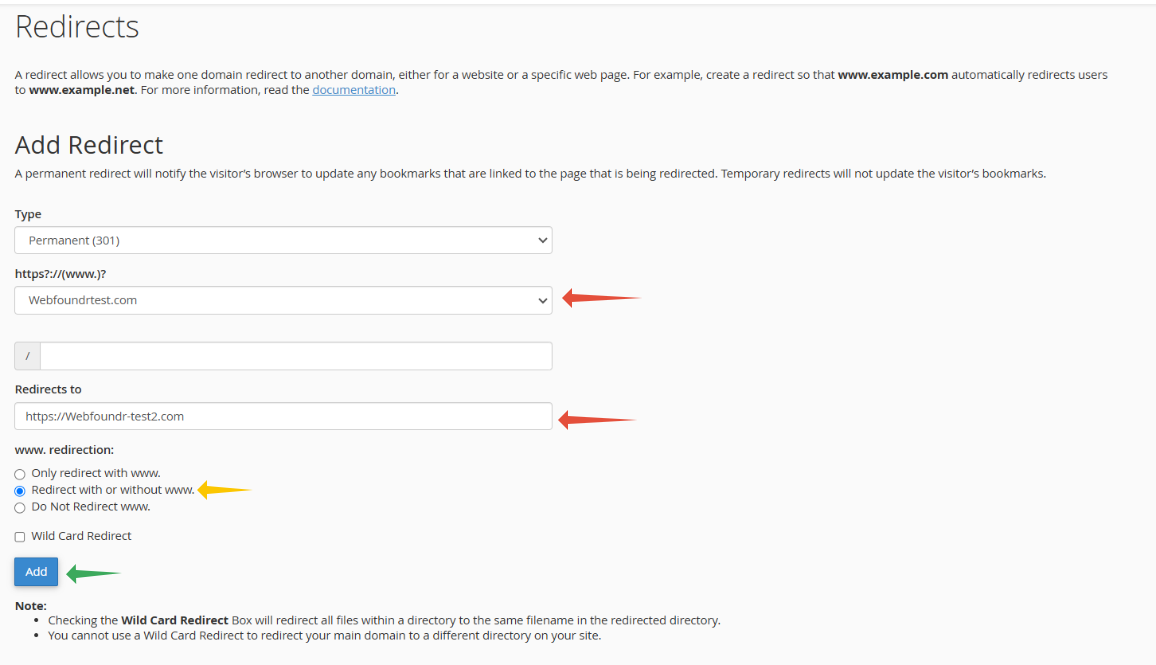
Step 5: Click the blue Add button after you have entered the information and your redirect has been created.