Got Bots? No one likes them! This VERY simple tutorial will show you the first step to protecting your website from malicious bots by generating your keys to use within your website with plugins like WordFence or WP Forms or any other type of contact form you may have!
First things first, visit this url: https://www.google.com/recaptcha/admin/create
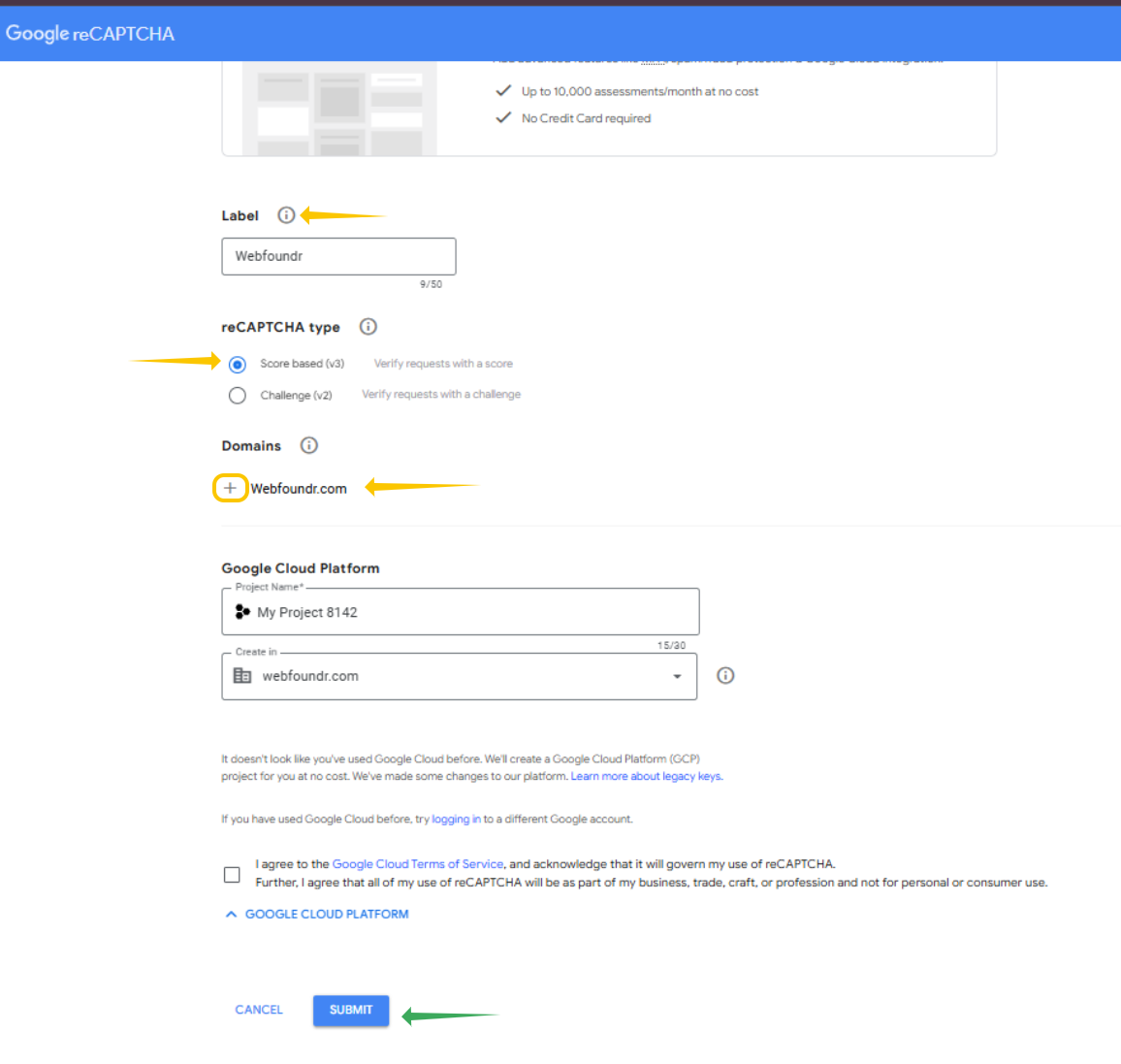
STEP 1: Give your new keys a label, usually just your website name. Choose v3 for reCaptcha type. Where it has domains, type in your domain name without the https://. For example: yourdomain.com. Then click Submit.
If you have multiple websites that may need reCaptcha installed on it, hit the + button and add your other domains.
STEP 2: Now Copy your Site Key and Secret Key to a safe location! You'll need these when configuring other plugins and such within WordPress if they have reCaptcha settings!
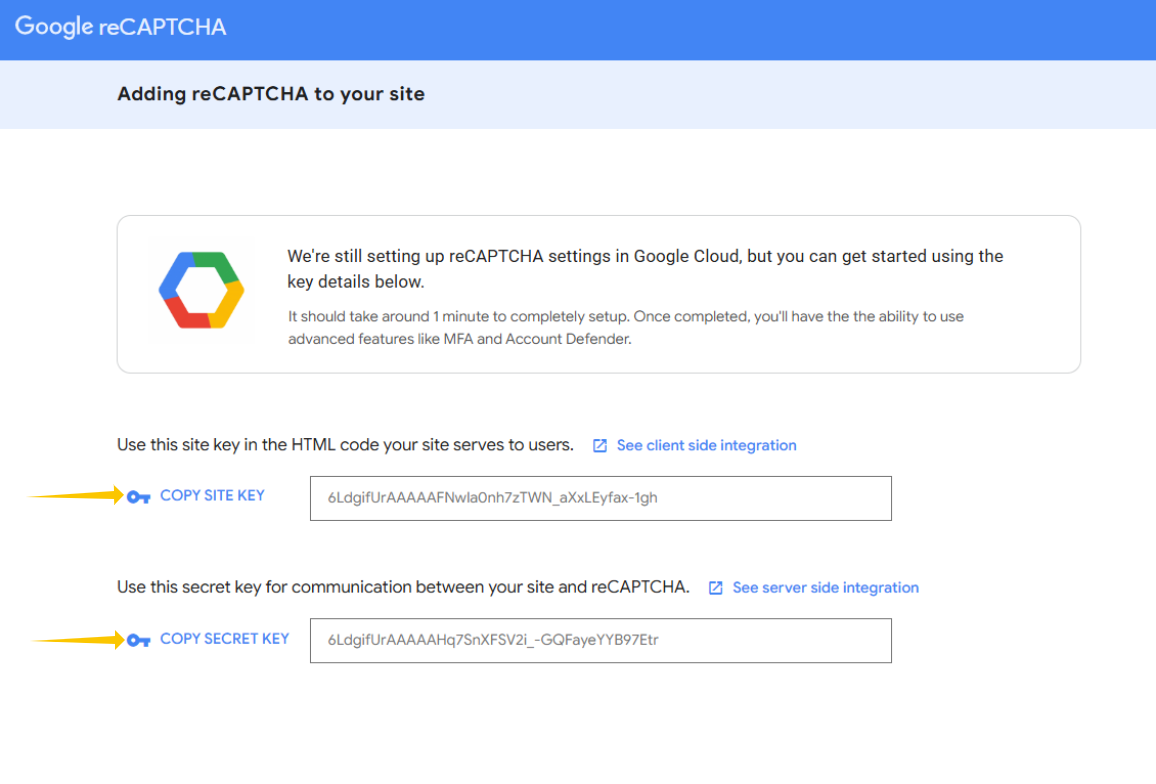
Remember! Save your keys in a handy location! You will need them later! If at some time in the future you have additional domains, you can come back to this url and 'add' additional domains so your site keys will work with the additional domains!
Was this article helpful?
That’s Great!
Thank you for your feedback
Sorry! We couldn't be helpful
Thank you for your feedback
Feedback sent
We appreciate your effort and will try to fix the article